8 min read
Schema Markup
What is Schema Markup? The Complete Guide to Structured Data (2026)
Schema markup is code that tells search engines what your content means, not just what it says. Pages with schema can earn rich results in Google. Here's how it works.

Team 7 Seers
What is Schema Markup? The Complete Guide to Structured Data (2026)
What schema markup actually is
Schema markup is a shared vocabulary of tags (or “types”) and attributes (or “properties”) that describe the things on a webpage in a way machines can parse. It was created in 2011 as a joint project between Google, Bing, Yahoo, and Yandex, and is hosted at schema.org. Today the vocabulary covers more than 800 types, from Article and Product to obscure ones like BowlingAlley and Quotation.
When you add schema to a page, you are not changing what visitors see. The markup lives in the source code, invisible to humans but readable by Googlebot, Bingbot, ChatGPT’s crawler, Perplexity, Claude’s web tools, and every other modern search and AI system. It is the closest thing the web has to a universal data layer.
A useful analogy: HTML tells a browser how to display content. Schema tells a search engine what that content means. The H1 tag says “this is a big heading.” The schema says “this is the headline of an Article published on May 4, 2026, written by Jane Doe.”
Why schema matters in 2026
Three forces have made schema markup more valuable than at any point in the last decade.
1. Rich results win clicks
Standard organic listings show a blue title, a URL, and a description. Rich results show stars, prices, FAQs, sitelinks, recipe cards, event dates, and product carousels. Studies from Milestone Research, Search Engine Land, and Schema App consistently put the click-through-rate lift from rich results at 20 to 35 percent. On competitive product or local queries, the lift can be much higher.
2. AI Overviews and answer engines depend on schema
Google’s AI Overviews, Bing Copilot, Perplexity, and ChatGPT Search all crawl the open web. When they pick which sources to cite, they lean heavily on pages where the entities are clearly defined. A page with Organization, Person, and Article schema gives an AI a clean, unambiguous fact pattern to quote. A page without schema requires the AI to guess from prose, which it does less reliably and cites less often.
3. Entity SEO is replacing keyword SEO
Google’s Knowledge Graph runs on entities (people, places, organizations, things) rather than keywords. Schema markup is the most direct way to tell Google “this entity exists, here are its properties, and these are its connections to other entities.” Brands with consistent Organization schema across their site are far more likely to earn a Knowledge Panel and own their brand SERP.
The honest truth about ranking
Google has stated repeatedly that schema is not a direct ranking signal. But it indirectly influences ranking through CTR, dwell time, and AI citations. In 2026, the gap between “schema is a ranking factor” and “schema is essential for visibility” has all but closed.
How schema works under the hood
When Googlebot crawls a page, it parses the HTML, runs JavaScript, and extracts any structured data it finds. That data goes into Google’s index alongside the regular content. When the page becomes a candidate for a search result, Google’s rich result systems decide whether to upgrade the listing based on:
Whether the schema type is eligible for a rich result (not all types are)
Whether all required properties are present and valid
Whether the schema actually matches the visible content on the page
Whether the page is high-enough quality to be trusted
That last point is important. Schema does not bypass quality requirements. A thin or low-trust page can have perfect FAQ schema and still never get the FAQ rich result.
JSON-LD vs Microdata vs RDFa
Schema can be written in three formats. Google supports all three but strongly recommends one of them.
Format | Where it lives | Maintenance | Google’s preference |
|---|---|---|---|
Separate script block in <head> or <body> | Easy to add, edit, and remove without touching layout | Recommended | |
Microdata | Inline attributes wrapped around visible HTML | Tightly coupled to design changes; brittle | Supported but legacy |
RDFa | Inline attributes (similar to Microdata, different syntax) | Verbose, mostly used in academic and government sites | Supported but uncommon |
Unless you have a specific reason otherwise, use JSON-LD. Every major SEO tool, plugin, and CMS template defaults to it.
The most important schema types (with examples)
There are hundreds of schema types, but a small subset covers 95 percent of real websites.
Organization
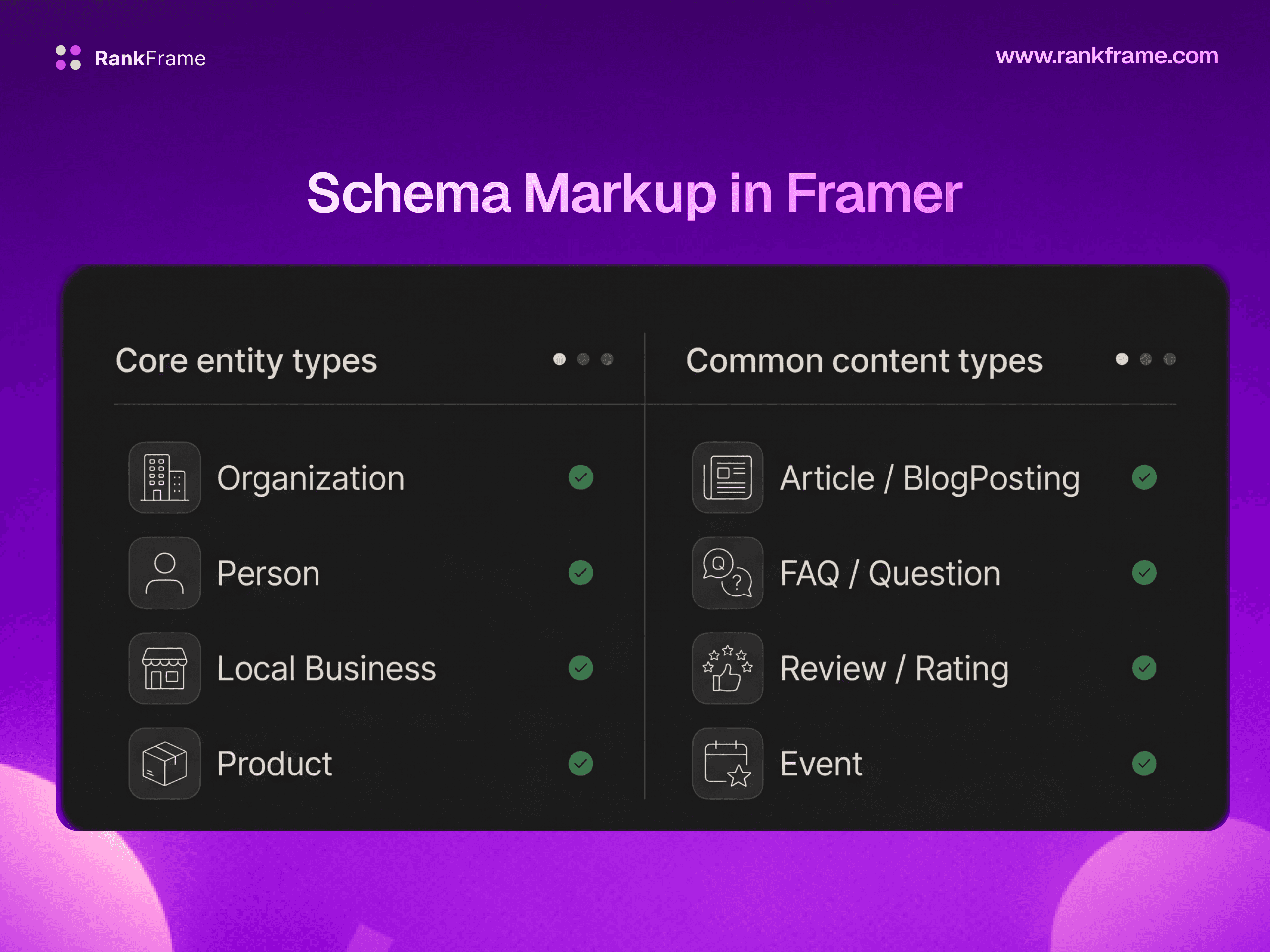
Identifies your business as a real entity. Use it on the homepage of every site. Properties include name, url, logo, sameAs (social profiles), contactPoint, and address. This is the foundation for getting a Knowledge Panel.
Article (and NewsArticle, BlogPosting)
For any editorial content. Required properties: headline, image, datePublished, author, publisher. Powers the “Top Stories” carousel and Discover surface.
Product
For ecommerce. Properties include name, image, description, brand, sku, offers (price, currency, availability), and aggregateRating. Triggers price, stock, and star-rating rich results.
LocalBusiness
For businesses with a physical location. Includes address, geo, telephone, openingHoursSpecification, and priceRange. Crucial for local pack and Google Maps presence.
FAQPage
Marks up a list of question-and-answer pairs. Note: as of 2023 Google restricts FAQ rich results to authoritative government and health sites for SERP display, but the schema is still widely used by AI Overviews to extract answers.
Recipe
Powers the recipe rich card with thumbnails, ratings, cook time, and calories. Required: name, image, recipeIngredient, recipeInstructions.
HowTo
For step-by-step instructional content. Each step has its own name, text, and optional image. Like FAQ, the SERP rich result is now restricted, but AI engines actively use it.
BreadcrumbList
Replaces the URL in the search snippet with a clickable breadcrumb trail (Home > Blog > This Article). Lightweight and easy to add to every page.
Review and AggregateRating
Adds star ratings under your listing. Must reflect real, verifiable reviews. Spammy review schema is one of the most common reasons sites receive a manual action.
Person
For author profiles, founder bios, and team pages. Becoming critical for E-E-A-T signals as Google evaluates content authorship more aggressively.
VideoObject
Marks up videos with name, thumbnailUrl, uploadDate, and duration. Eligible for video carousel and “key moments” features.
A real JSON-LD example you can copy
Here is a complete, valid Organization schema. Replace the values with your own and paste it into the <head> of your site.
“https://www.instagram.com/acmecoffee”,
“https://www.linkedin.com/company/acmecoffee”,
“https://twitter.com/acmecoffee”
This single block tells Google: there is a business called Acme Coffee Roasters, here is its logo, its location, its contact info, and the social profiles that confirm its identity. Add it once on the homepage and you have laid the foundation for every other schema type and every Knowledge Graph entry that follows.
What rich results actually look like
If you have ever searched for a recipe and seen a card with a thumbnail, a 4.8-star rating, and a 35-minute cook time, you have seen Recipe schema in action. Other common rich results in 2026:
Product: Price, stock status, star rating, and shipping info under the title
FAQ: Expandable questions inline with the result (limited to certain niches now)
Breadcrumbs: Site hierarchy shown instead of a raw URL
Sitelinks search box: A search bar inside your brand result
Event: Date, location, and ticket link
Job posting: Salary, location, employment type, on the Google for Jobs panel
Video: Thumbnail, duration, key moments timeline
How-to: Step-by-step preview (now limited)
How to add schema to your website
WordPress
Install Yoast SEO, RankMath, or Schema Pro. They detect your post type, generate JSON-LD automatically, and let you override fields per page. RankMath is the most generous on the free tier; Yoast is the most conservative.
Shopify
Most modern themes (Dawn, Sense, Studio) ship with Product and Organization schema built in. For richer markup, install JSON-LD for SEO or Schema Plus.
Webflow
No native schema generator. You paste JSON-LD into the page settings under “Inside <head> tag” or use a third-party tool like Flowschema.
Framer
No native schema. You either paste raw JSON-LD into Site Settings > General > Custom Code, or install RankFrame which injects schema from inside the editor (covered below in detail).
Static HTML / custom builds
Hand-write a JSON-LD block and drop it in the <head> of each template. For dynamic content, generate it server-side from your data model.
How to validate your schema
Never publish schema without validating it. Two free tools cover everything:
Google’s Rich Results Test
At search.google.com/test/rich-results. Enter a live URL or paste a code snippet. It tells you which rich results your page is eligible for and flags any errors or warnings. This is the only validator that reflects what Google itself will accept.
Schema.org Validator
At validator.schema.org. Checks raw vocabulary compliance, broader than Google’s tool. Useful for schema types Google does not yet display rich results for (Person, Service, Book, etc.) but which still feed AI engines.
After publishing, also check Google Search Console under “Enhancements.” Google reports rich result eligibility, errors, and impressions per schema type, which is the only way to confirm your markup is working at scale.
Common schema mistakes to avoid
Marking up content that is not visible
If your schema says the page has a 4.9-star rating but the visible page does not, that is a violation of Google’s structured data guidelines and can trigger a manual action. The schema must reflect what users see.
Using the wrong @type
A landing page is not an Article. A blog homepage is not a BlogPosting. Pick the type that matches the page’s actual purpose, and when in doubt, leave it off rather than guess.
Missing required properties
Every schema type has required properties. An Article without a headline or datePublished will validate as schema but will not be eligible for any rich result. Always check Google’s documentation for the type you are using.
Duplicate schema blocks
Two Organization schemas on the same page (one from your CMS, one you pasted manually) can confuse Google and dilute the entity. Audit periodically.
Stale dates and prices
Schema is only useful if it matches reality. Hard-coded prices that do not update, or article dates that never change, undermine trust and can suppress rich results.
Spammy review schema
Self-serving reviews on your own homepage, fake aggregate ratings, and reviews of the company on a product page all violate the guidelines and are aggressively penalized.
A deeper look at high-value schema types
The list earlier covered the basics. Below are extended notes on the schema types that deliver outsized SEO and AI-citation value in 2026, with specific guidance on properties that are easy to overlook.
Organization in depth
The Organization schema is the entry ticket to Google’s Knowledge Graph. The properties that consistently move the needle are sameAs (always include LinkedIn, Crunchbase, Wikipedia if you have one, and your primary social profiles), founder (a nested Person schema that links your brand to a real human, which AI engines love), foundingDate (helps disambiguate from other companies with similar names), and knowsAbout (an array of topics your company is an authority on). Adding all of these to a single Organization block on your homepage compounds over time as Google builds a richer entity profile.
Article variants and when to use which
Schema offers three article subtypes: Article (generic), NewsArticle (time-sensitive news), and BlogPosting (informal blog content). They behave almost identically for rich results, but Google does pay attention to the distinction. NewsArticle is required for Top Stories eligibility and the Google News surface. BlogPosting is the safer choice for evergreen tutorials and opinion pieces. Use the generic Article type only when neither of the others clearly fits.
Product and the Merchant Center connection
Product schema is now tightly integrated with Google Merchant Center. If your structured data exactly matches the data feed you upload to Merchant Center (price, GTIN, availability, condition), you can show free product listings on Google’s Shopping tab without paid ads. Misalignment between the schema and the feed leads to disapprovals. The properties Google weighs most heavily today are gtin or mpn (product identifiers), shippingDetails, and hasMerchantReturnPolicy.
Service schema for non-product businesses
If you are a consultancy, agency, law firm, or freelancer, you do not sell a Product. You offer a Service. Service schema lets you describe what you do (name, description, serviceType), where you do it (areaServed), and who provides it (provider, linked to your Organization). It is one of the most under-used schemas in B2B and a quick win if you are not using it yet.
Person schema and E-E-A-T
Google’s emphasis on Experience, Expertise, Authoritativeness, and Trustworthiness has pushed Person schema from optional to important. Author bios should include name, jobTitle, worksFor (linked Organization), sameAs (LinkedIn, Twitter, ORCID for academics), and knowsAbout. When Google sees a real human entity behind your content, both ranking and AI citation rates improve.
Rich results beyond Google
Schema markup is no longer just a Google strategy. The wider answer-engine ecosystem now consumes structured data aggressively.
Bing Copilot uses schema to populate its sidebar cards and source citations. Bing has historically respected schema even more strictly than Google.
Perplexity cites pages with clear structured data more frequently than pages without, based on multiple 2025 studies from SEO research firms.
ChatGPT Search (rolled out widely in 2025) prefers pages with Organization, Article, and Person schema when evaluating source authority.
Pinterest uses Product and Recipe schema to enrich Rich Pins, which drive higher save and click rates.
Yandex and DuckDuckGo both consume schema.org markup for their rich answer features.
The takeaway: every hour you invest in clean schema pays off across the entire search and AI surface area, not just in Google’s blue links.
A practical schema rollout strategy
If you are starting from zero, do not try to add every schema type on day one. Use this priority order, which mirrors what most experienced SEO teams follow.
Week 1: Add Organization schema to your homepage. This single block gives every page on your site an entity anchor.
Week 2: Add WebSite schema with a sitelinks search box (if applicable). Add BreadcrumbList to every category and inner page.
Week 3: Add the page-type schema that matches your content: Article on blog posts, Product on shop pages, LocalBusiness on contact pages, Service on service pages.
Week 4: Add Person schema to author bios and team pages. Validate everything in Search Console.
Ongoing: Monitor the Enhancements tab in Search Console weekly. Fix any error before it spreads. Re-validate after major content updates.
If You Have a Framer Site
Framer ships with strong fundamentals (fast pages, automatic sitemaps, clean meta tags) but it does not generate schema markup natively. There is no Organization schema, no Article schema on blog posts, no LocalBusiness schema for service sites. If you publish a Framer site today and check the source, you will find zero application/ld+json blocks.
You have two paths to fix this.
Path 1: Manual JSON-LD via Custom Code. Open Site Settings > General > Custom Code, paste a JSON-LD block into the “Start of head” field, and republish. This works for site-wide schemas like Organization. The downside: you cannot easily inject per-page Article schema this way (the snippet runs on every page), and any update means re-editing raw JSON.
Path 2: RankFrame. RankFrame is the only Framer plugin that handles schema natively from the editor. Inside the plugin you pick a type (Organization, Person, Article, Service, Restaurant, Book), fill out a form, and the JSON-LD is injected on publish. The plugin automatically prevents duplicates if you add the same type twice, and it includes an AI auto-generate option that drafts a complete schema block from your existing site content. For multi-page sites, you can attach different schema types to different pages without writing a line of code.
Either approach works. Manual is fine if you have one schema and never plan to change it. RankFrame is the easier path if you want Article schema on every blog post, Person schema on author pages, and Organization schema site-wide, all kept in sync as your site evolves.
Schema and multi-language sites
Schema is currently generated per page rather than per locale, so one set of structured data applies across your site. Per-locale schema is part of the updated schema flow planned for Q3 2026.
Frequently asked questions
What is schema markup in simple terms?
Schema markup is code added to a web page that tells search engines what your content means, not just what words appear. For example, it can tell Google that a number on your page is a review rating, not just any number, or that a date is a publication date, not just any date. This helps Google display richer, more informative search results.