8 min read
SEO Fundamentals
What Are Meta Tags? The Complete SEO Guide (2026)
Meta tags are HTML snippets that tell search engines and social platforms how to display your page. Every tag that still matters in 2026, with copy-paste examples.

Team 7 Seers
What Are Meta Tags? The Complete SEO Guide (2026)
What Are Meta Tags?
Meta tags are HTML elements that provide structured information about a web page without being rendered as visible content. The word "meta" means "about," and that is precisely the role of these tags: they describe the page rather than appear on it. Search engine crawlers, social platform scrapers, browsers, and accessibility tools all read meta tags to understand context that is not obvious from the visible body content alone.
Most meta tags use the HTML <meta> element with a name attribute (or property for Open Graph) and a content attribute. A few related elements like <title> and <link rel="canonical"> are not technically meta tags, but they sit in the same head section and are typically grouped with meta tags because they serve a similar purpose: telling machines about the page rather than humans.
Here is the simplest possible meta tag, telling browsers what character encoding the page uses:
And here is a full set of meta tags for a typical content page:
Where Do Meta Tags Live?
Every meta tag belongs inside the <head> element of your HTML document. The head sits between the opening <html> tag and the opening <body> tag, and it contains everything that is not directly rendered on the page: the title, meta tags, links to stylesheets and favicons, and embedded scripts.
Meta tags placed anywhere outside the head are ignored by most crawlers and validators. Order within the head matters less than presence, but the convention is to place <meta charset> first (so the browser knows how to parse the rest of the document), followed by <meta viewport>, then the title tag, then descriptive meta tags, then the canonical link, then Open Graph and Twitter Card tags, then stylesheets and scripts.
Why Meta Tags Matter for SEO
Meta tags do three jobs that directly or indirectly influence how your page performs in search:
They tell search engines what the page is about. The title tag is a direct ranking factor. Google reads it to understand the topic of the page and decide which queries the page should rank for.
They control how your page appears in the search result. The title tag becomes the clickable headline. The meta description becomes the snippet underneath. These two elements determine your click-through rate, which is itself a behavioral signal that Google measures.
They give crawlers and platforms instructions. The meta robots tag tells Google whether to index the page or follow its links. The canonical tag tells Google which URL is the authoritative version of duplicate content. Open Graph tags tell social platforms how to render link previews.
Meta tags are not the whole of SEO. Content quality, backlinks, internal linking, page experience signals, and structured data all matter as well. But meta tags are the foundation: if they are missing, wrong, or duplicated across your site, you cannot rank well no matter how strong the other signals are. They are also the easiest part of SEO to get right because they are technical and finite. Once each page has correct meta tags, you can stop worrying about them and focus on content.
The Title Tag
The title tag is the most important SEO element in the head section. It is technically not a meta tag (it uses the dedicated <title> element rather than the <meta> element), but it is treated as one for SEO purposes because it serves the same role: telling search engines and users what the page is about.
The title tag appears in three places: as the clickable blue headline in Google search results, as the label of the browser tab, and as the default title used when someone bookmarks the page. Best practices for writing title tags:
Keep it under 60 characters. Google truncates longer titles with an ellipsis on desktop. The exact pixel limit is around 580 pixels at default rendering, which usually translates to 55 to 60 characters.
Put the primary keyword near the front. The first words carry more weight both for ranking and for user attention.
Include your brand name at the end, separated by a pipe or hyphen. For example: "What Are Meta Tags? Complete SEO Guide | RankFrame".
Make every page title unique. Duplicate titles across pages confuse search engines about which page should rank for which query.
Write for humans first, then optimize. The title tag drives click-through rate. A keyword-stuffed title that no one wants to click is worse than a slightly less optimized title that earns clicks.
The Meta Description
The meta description is a summary of the page that Google often uses as the snippet shown beneath the title in search results. Unlike the title tag, the meta description is not a direct ranking factor. Google does not look at it to decide which queries your page should rank for. But it heavily influences click-through rate, which is a behavioral signal Google uses indirectly.
Best practices for meta descriptions:
Length: 120 to 160 characters. Google displays around 155 to 160 characters on desktop and around 120 on mobile.
Front-load the value proposition. Put the most important information and call to action in the first 120 characters so it appears on every device.
Include the primary keyword naturally. Google bolds matching query terms in the snippet, which increases visual prominence and click-through.
Make every description unique. Duplicate descriptions across multiple pages signal lazy SEO and may cause Google to ignore your description and write its own.
Do not use quotes inside the description. Quote characters can break the snippet rendering. Use single quotes or rephrase if you need to quote something.
Important caveat: Google rewrites the meta description for around 60 to 70 percent of search results based on the user's specific query. Even with a perfect description, Google may substitute a more relevant excerpt from your page body. This is normal and not a problem. Write a strong description as your default, and trust Google to override it when query intent demands something more specific.
Meta Keywords (Deprecated)
The meta keywords tag was originally designed to let page authors list the keywords most relevant to their page. It looked like this:
Google publicly stopped using meta keywords as a ranking signal in 2009. The reason: spammers stuffed irrelevant keywords into the tag to game rankings, making it useless as a quality signal. Bing also confirmed it does not use meta keywords. Yandex and a few smaller engines may still read them, but the impact on global rankings is essentially zero.
Should you include meta keywords on your pages today? There is no benefit and there are two minor downsides: you waste editorial time deciding which keywords to list, and you reveal your keyword strategy to competitors who view your page source. You can safely omit the meta keywords tag from every page on your site. Some CMS platforms (including older Framer setups) include it by default for backward compatibility, but you do not need to fill it in.
The Meta Robots Tag
The meta robots tag tells search engine crawlers how to handle a specific page. The default behavior, when no robots tag is present, is "index, follow," meaning the page can appear in search results and crawlers should follow links on the page to discover other pages. You only need to add a robots tag when you want to override the default.
The most common directives:
index / noindex: Whether the page can appear in search results. Use
noindexfor thank-you pages, internal utility pages, login pages, and any duplicate or thin content you do not want in the index.follow / nofollow: Whether crawlers should follow links on the page to discover other URLs. The default is
follow. Usenofollowsparingly because it stops link equity from flowing through the page.noarchive: Tells Google not to show a cached version of the page in search results.
nosnippet: Tells Google not to display a text snippet or video preview in search results.
max-snippet, max-image-preview, max-video-preview: Granular controls over how much of your content can appear in search snippets, image previews, and video previews.
Be careful with noindex Adding noindex to the wrong page can de-index important content. Always double check before deploying. If you accidentally add noindex to your homepage and Google recrawls it, your entire site can disappear from search results within days.
The Meta Charset Tag
The meta charset tag tells the browser which character encoding to use when interpreting the page. Without it, browsers fall back to a default encoding that may render special characters, accented letters, emojis, or non-Latin scripts incorrectly. The modern standard is UTF-8, which supports virtually every character used in any human language.
Two important rules:
Always include the charset declaration. Even if your page is pure English, missing charset can cause rendering bugs in older browsers and is flagged by HTML validators.
Place it as the very first child of the head. The browser must know the encoding before it parses any other content. The HTML5 specification requires charset to appear within the first 1024 bytes of the document.
The Meta Viewport Tag
The meta viewport tag controls how a page renders on mobile devices. Without it, mobile browsers assume the page is designed for a 980-pixel desktop viewport and shrink the content to fit, producing a tiny unreadable page that requires pinch-zoom to use. With the correct viewport tag, the page renders at the device's actual width and respects responsive CSS rules.
The two essential properties:
width=device-width: Sets the viewport width to match the physical width of the device in CSS pixels. This makes responsive layouts work correctly.
initial-scale=1.0: Sets the initial zoom level to 100 percent. Without this, some browsers apply unwanted zoom on first load.
Mobile-friendliness is a Google ranking factor, and Google's mobile-first indexing means it primarily evaluates the mobile version of your page when ranking. A missing or broken viewport tag is one of the most common reasons a site fails Google's mobile-friendly test.
The Canonical Link Tag
The canonical link tag tells search engines which URL is the authoritative version of a page when multiple URLs serve the same or similar content. It is not a meta tag in the strict sense (it uses the <link> element with rel="canonical"), but it lives in the head and serves the same machine-readable purpose.
Use cases for canonical tags:
Trailing slash variations: If both
/pageand/page/resolve to the same content, set the canonical to one preferred version.HTTPS vs HTTP: Always canonicalize to the HTTPS version.
www vs non-www: Pick one (typically the version that matches your primary domain configuration) and canonicalize to it.
UTM parameters: Marketing tracking parameters create URL variants. Canonicalize to the clean version without parameters.
Pagination and filters: On filtered or paginated listing pages, canonicalize to the main collection or category URL.
Self-referencing canonicals (where every page points to its own URL) are a best practice. They make your canonical strategy explicit and protect against unintentional duplicate content created by URL parameters, mobile/desktop variants, or syndication.
Open Graph Meta Tags
Open Graph is a protocol developed by Facebook in 2010 that defines a set of meta tags describing a page's content for social platforms and messaging apps. When someone shares your URL on LinkedIn, Facebook, Slack, WhatsApp, iMessage, Discord, or any other platform that generates link previews, the platform reads your Open Graph tags to construct the preview card.
The five essential Open Graph tags:
Tag | Purpose |
|---|---|
| The bold headline shown in the share card. Can differ from the title tag for social-specific copywriting. |
| The descriptive text below the headline in the share card. |
| The preview image. Must be an absolute URL. Recommended size 1200x630 pixels. |
| The canonical URL of the page. Used for share deduplication and engagement counting. |
| Content type. Use "website" for landing pages and "article" for blog posts and news content. |
Note that Open Graph tags use property= rather than name=. This is the only major group of meta tags that uses property; the syntax difference is part of the OG protocol specification.
Twitter Card Meta Tags
X (formerly Twitter) introduced its own meta tag format called Twitter Cards before Open Graph became universal. X now falls back to reading Open Graph tags when Twitter Card tags are absent, but Twitter Card tags take precedence when both are present, giving you control over how your link appears specifically on X.
The most important Twitter Card tag is twitter:card, which defines the card type. The two common values are summary (a small square thumbnail next to the text) and summary_large_image (a full-width image above the text). For most marketing sites and blog posts, summary_large_image is significantly more eye-catching in the X feed and is the recommended default.
Which Meta Tags Matter for SEO?
Not every meta tag is equally important. This table ranks the meta tags covered above by their actual SEO impact in 2026:
Meta Tag | SEO Impact | Required? |
|---|---|---|
Title tag | Critical. Direct ranking factor and biggest CTR driver. | Yes, on every page |
Meta description | High. Indirect ranking factor via CTR. | Yes, on every page |
Meta charset | Critical for rendering. No direct SEO impact but broken charset causes content errors. | Yes, on every page |
Meta viewport | High. Required for mobile-friendliness, which is a ranking factor. | Yes, on every page |
Canonical link | High. Prevents duplicate content issues and consolidates link equity. | Recommended on every page |
Meta robots | Situational. Critical when you need to noindex or restrict crawler behavior. | Only when overriding defaults |
Open Graph tags | Indirect. Drive social CTR which generates referral traffic. | Strongly recommended |
Twitter Card tags | Indirect. Same as OG, specifically for X. | Recommended |
Meta keywords | None. Deprecated since 2009. | Not needed, can omit |
Common Meta Tag Mistakes
1. Duplicate title tags across multiple pages
This is the single most common technical SEO issue. Every page on your site needs a unique title that describes the specific content of that page. Generic titles like "Home | Your Brand" repeated across multiple pages prevent Google from understanding which page to rank for which query.
2. Missing or duplicate meta descriptions
Without a meta description, Google generates a snippet from the page body, which may be a random excerpt that does not represent the page well. Duplicate descriptions across multiple pages signal lazy SEO and reduce CTR. Write a unique description for every important page.
3. Title and description that do not match the page content
Misleading titles and descriptions inflate click-through rate temporarily but lead to high bounce rate as users realize the page does not deliver what was promised. Google measures dwell time and pogo-sticking back to search results as quality signals. Honest titles outperform clickbait long-term.
4. Accidentally adding noindex to important pages
This is the worst possible meta tag mistake. A single misplaced <meta name="robots" content="noindex"> on your homepage can de-index your entire site within a few days. Always audit your robots tags after launching a redesign or migrating between platforms.
5. Wrong canonical URL
Pointing the canonical of every page to your homepage (a common mistake) tells Google to consolidate every page into one, effectively removing all your inner pages from search. Each page's canonical should point to its own URL or to the legitimate primary version of duplicate content.
6. Open Graph image as a relative URL
The og:image value must be an absolute URL with the https:// protocol. A relative path like /og-image.jpg will not work. Social platforms cannot resolve relative URLs because they fetch the image from outside your domain context.
7. Meta tags placed outside the head
Meta tags that appear in the body of the document are ignored by most crawlers and validators. Always confirm that your meta tags are inside the <head> element and before any body content.
8. Truncated or oversized title tags
Titles over 60 characters get cut off in search results, hiding important keywords or your brand name. Titles under 30 characters waste valuable real estate. Aim for the 50 to 60 character range for most pages.
If You Have a Framer Site
Framer handles the most important meta tags through its built-in SEO controls, so you do not need to write HTML to set them. Here is how each tag maps to Framer's interface, and where the platform's defaults stop being enough.
Title and meta description in Framer
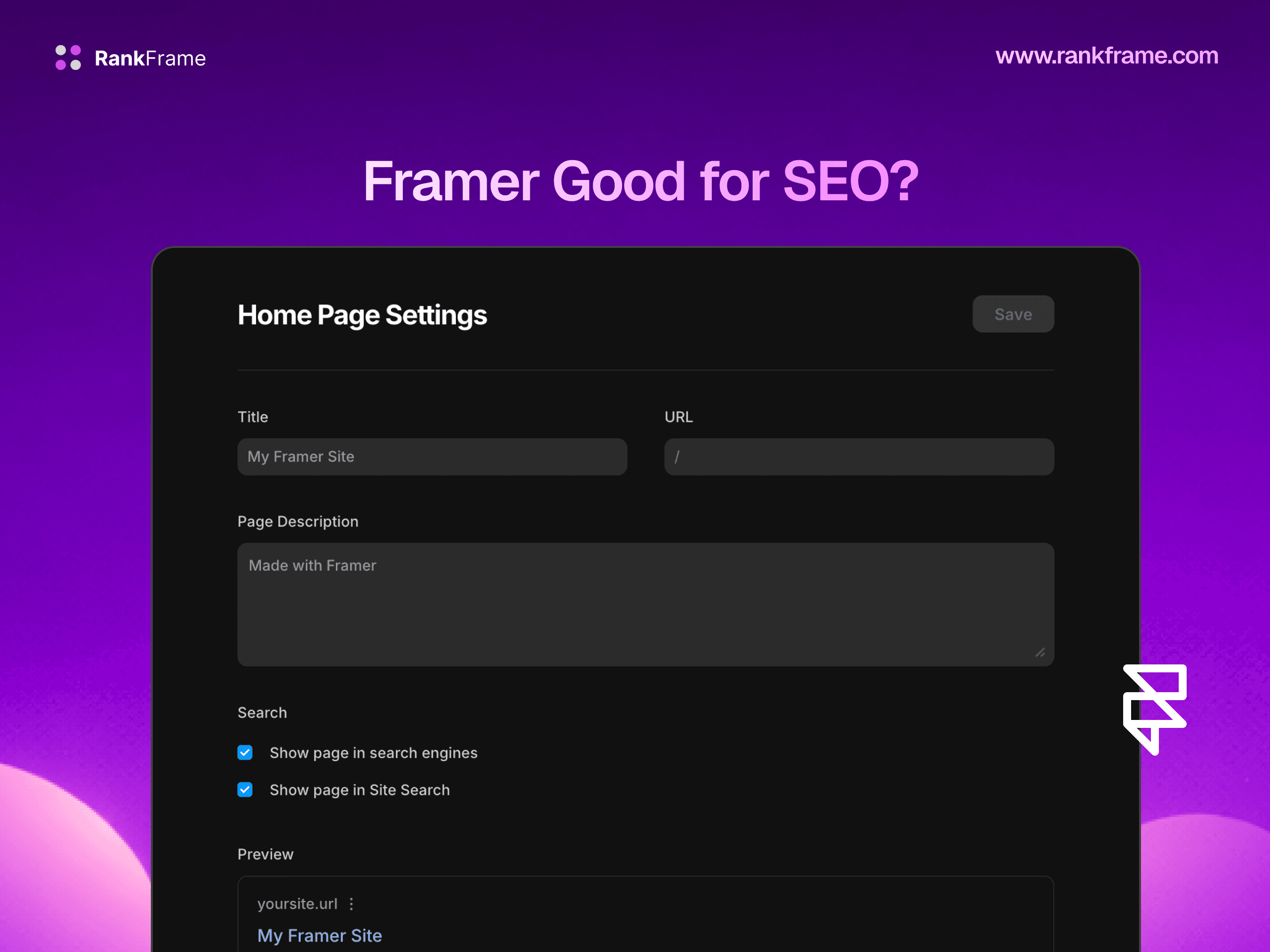
For site-wide defaults, open Site Settings, click the SEO tab, and fill in the global title and description fields. Framer uses these as the fallback for every page that does not have a page-specific override. To set per-page values, select any page in the canvas layers panel, open the right-side Page Settings, and scroll to the SEO section. The title and description fields there override the global defaults for that specific page.
For CMS collection pages, open the collection template, select the template page, and bind the title and description fields in Page Settings to dynamic CMS variables using the variable picker icon. Each collection item then generates unique title and description values from its own CMS content.
Meta charset, viewport, and canonical in Framer
Framer outputs meta charset="UTF-8", the standard mobile viewport tag, and a self-referencing canonical link automatically on every page. You do not need to configure these manually, and they are correct by default for the vast majority of sites.
Open Graph and Twitter Card tags in Framer
The same SEO panels in Site Settings and Page Settings include a Social Image upload field. Framer outputs the uploaded image as both og:image and twitter:image, and uses your title and description for the corresponding OG and Twitter Card tags automatically. For custom Twitter Card attribution like twitter:site with your X handle, use the Custom Code section described below.
Custom meta tags via Framer Custom Code
For meta tags that Framer's native UI does not expose (custom meta robots directives like max-snippet, additional Open Graph properties, verification tags for Google Search Console or Bing Webmaster, or third-party platform meta tags), use the Custom Code section. In Site Settings, navigate to Custom Code, and paste your meta tags into the Head section. They will be injected into the head of every page on the site. For page-specific custom meta tags, use the Custom Code field inside individual Page Settings.
Bulk meta tag generation with RankFrame
The challenge for any growing Framer site is keeping titles and descriptions unique, well-written, and optimized across dozens or hundreds of pages and CMS items. Manually drafting meta tags for every page is the slowest part of SEO. RankFrame solves this with AI meta tag generation: it scans every page on your Framer site, including all CMS collection items, and generates unique title tags and meta descriptions in bulk based on each page's actual content. You review the suggestions, edit anything that needs adjustment, and publish them back into Framer in one click. Pages that lack meta data, have duplicate titles, or have descriptions outside the optimal length range are flagged automatically in the RankFrame audit dashboard.
Frequently asked questions
What is the most important meta tag for SEO?
The title tag is the single most important SEO element in the head section. While technically not a meta tag (it uses the title element rather than the meta element), it is treated as one for SEO purposes. The title tag is a direct ranking signal, appears as the clickable headline in Google search results, and is the first thing users read when deciding whether to click. After the title, the meta description is the next most influential because it controls the search result snippet that drives click-through rate, even though it is not a direct ranking factor.