8 min read
Schema Markup
How to Add Schema Markup to Framer (Without Writing a Single Line of Code)
Framer has no native schema UI, so every JSON-LD block has to be hand-coded. Here's what schema matters, how to add it, and how to skip the manual work.

Team 7 Seers
How to Add Schema Markup to Framer (Without Writing a Single Line of Code)
What Is Schema Markup and Why Does It Matter?
Search engines are very good at reading words on a page, but they often need help understanding what those words mean. Schema markup is a standardized vocabulary (defined at schema.org and supported by Google, Bing, and other engines) that lets you annotate your content with machine-readable labels: “this is an article,” “this is a recipe,” “this is an FAQ.”
The practical payoff is rich results in Google Search. Rich results are enhanced SERP listings that show star ratings, FAQ dropdowns, event dates, job post details, recipe images, and more directly below the blue link. They make your listing physically larger and more informative than a standard result, which consistently drives higher click-through rates.
Schema and Google Rankings
Schema markup is not a direct ranking factor. Google has confirmed it does not use structured data to boost a page’s position in core organic results. What schema does is make pages eligible for rich results, and rich results generally improve CTR. Higher CTR on your organic listings can signal engagement quality to Google’s systems over time.
The Three Implementation Formats
Schema.org supports three formats: JSON-LD, Microdata, and RDFa. Google recommends JSON-LD for all new implementations. It lives in a script tag in your page head, completely separate from your HTML structure, which makes it far easier to manage, update, and validate.
How Framer Handles Schema Markup Natively
Framer provides two places to inject custom code: Site Settings (applies to every page) and page-level Custom Code (applies to one page). Both support a Head field where you can paste raw HTML, including script blocks with type=”application/ld+json”. That is the full extent of Framer’s native schema support.
Framer has no schema form, no field validation, no schema type selector, and no automation. Every schema snippet must be written by hand and pasted manually. A single typo in a JSON-LD block renders the entire schema unreadable by Google.
How to Add Schema Manually to a Framer Page
Step 1: Write your JSON-LD script using a reference from schema.org. For example, an Article schema requires at minimum headline, author, datePublished, and publisher.
Step 2: Open your page in the Framer editor. Click the page name in the left panel and select Page Settings. Scroll to Custom Code, then paste your script into the Head section.
Step 3: Publish your site, then test the live URL in Google’s Rich Results Test to confirm the schema is parsed correctly.
Why Manual Schema Breaks Down at Scale
Every page needs a separate script. There is no templating mechanism for CMS pages in Framer’s custom code fields.
Errors compound silently. A missing comma or incorrect property name produces no visible error on the page but breaks schema detection entirely.
Updates are fragile. Changing your business name or logo URL means updating every page’s schema individually.
Every Schema Type That Matters for Framer Sites
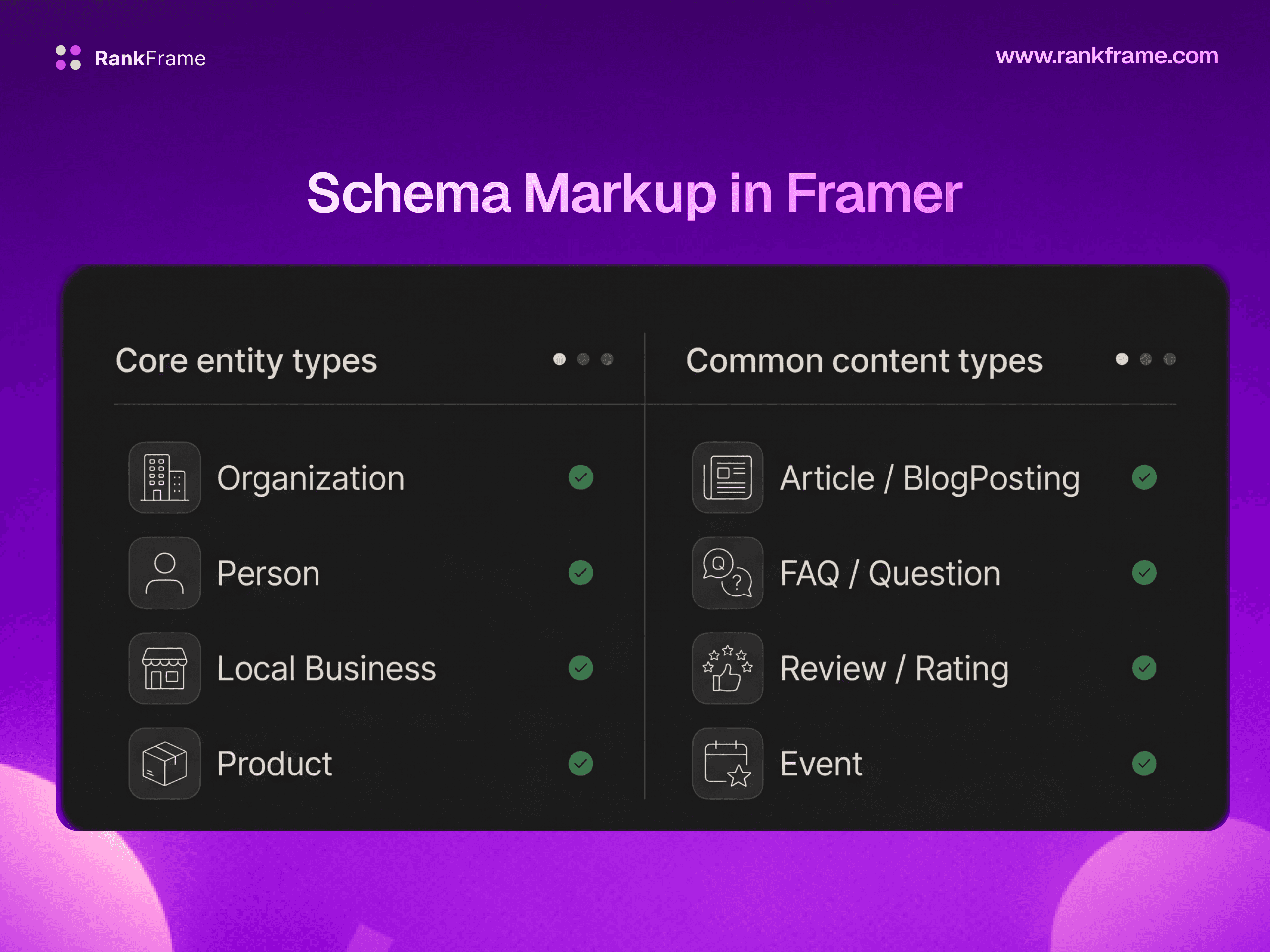
Organization (Supported by RankFrame)
Describes a business or organization: name, URL, logo, contact information, social profiles, and founding details. Every business or agency website should have Organization schema on the homepage. Rich results: contributes to Google’s Knowledge Panel, sitelinks display, and brand entity recognition.
Person (Supported by RankFrame)
Describes an individual: name, job title, employer, website, and social profiles. Use for freelancer portfolios, personal blogs, author pages, and consultant websites. Rich results: author attribution in article rich results, Knowledge Panel for notable individuals.
Article / BlogPosting / TechArticle / NewsArticle (Supported by RankFrame)
Describes a written piece of content. Use any page that is primarily a written article, post, or guide. Rich results: article headline, image, and date in Google Discover and Top Stories.
Service (Supported by RankFrame)
Describes a service offered by a business: name, description, provider, and area served. Use on individual service pages on agency, SaaS, or professional services websites.
Restaurant (Supported by RankFrame)
A subtype of LocalBusiness specifically for food service establishments. Includes cuisine type, menu, reservations, and price range.
Book (Supported by RankFrame)
Describes a book: title, author, ISBN, publisher, and description. Use on author websites, book landing pages, or any Framer page promoting a specific book.
LocalBusiness (Coming to RankFrame)
Describes a physical business location with address, phone, hours, and geographic coordinates. Rich results: Business Knowledge Panel, Google Maps integration, local pack listings.
Product (Coming to RankFrame)
Describes a product for sale, including price, availability, reviews, and brand. Rich results: price, availability badge, and star ratings in standard search results.
FAQPage (Coming to RankFrame)
Marks up a page that contains a list of question-and-answer pairs. Rich results: FAQ accordion dropdowns directly in the SERP.
HowTo (Coming to RankFrame)
Describes a step-by-step guide or tutorial, with tools, supplies, total time, and individual steps. Rich results: step-by-step panels in SERP.
BreadcrumbList (Coming to RankFrame)
Describes the hierarchical path from homepage to the current page. Rich results: breadcrumb trail displayed below the page title in search results.
Always validate your schema before publishing using Google’s Rich Results Test or the Schema.org Validator. RankFrame currently supports Organization, Person, Article, BlogPosting, TechArticle, NewsArticle, Service, Restaurant, and Book schemas, with HowTo, FAQPage, Product, LocalBusiness, and BreadcrumbList planned for upcoming releases.
How RankFrame Solves the Framer Schema Problem
RankFrame is the only native SEO plugin built specifically for Framer. It lives inside the Framer editor as a plugin, which means you never need to leave the canvas to manage schema. Everything happens through a visual interface, no JSON-LD knowledge required.
Visual Schema Builder
Inside the RankFrame plugin, open the Schema section. You see a list of supported schema types. Click a type, and a form appears with all required and recommended fields for that schema. Fill in the fields, click Inject Schema, and RankFrame writes the correct JSON-LD into your page head. No manual JSON, no risk of syntax errors, no template maintenance.
AI Auto-Generate Schema for Your Entire Sitemap
For sites with many pages, manually assigning schema to each page is still time-consuming even with a form UI. RankFrame’s AI Auto-Generate feature reads your full sitemap, analyzes the content of each page, selects the most appropriate schema type, populates all the fields, and injects the schema across your entire site in a single action. This is particularly powerful for Framer CMS sites where a blog collection might have 50 or 100 posts.
Schema Types Currently Supported
Schema Type | Status | Best For |
|---|---|---|
Organization | Available | Business homepages, agencies |
Person | Available | Portfolios, personal brands |
Article | Available | Editorial content |
BlogPosting | Available | Blog posts |
TechArticle | Available | Technical guides, documentation |
NewsArticle | Available | News and press content |
Service | Available | Service pages |
Restaurant | Available | Food service businesses |
Book | Available | Book landing pages |
HowTo | Coming Soon | Tutorials, guides |
FAQPage | Coming Soon | FAQ sections |
Product | Coming Soon | Product and pricing pages |
LocalBusiness | Coming Soon | Local businesses |
BreadcrumbList | Coming Soon | All internal pages |
How to Validate Schema Markup Before Going Live
Adding schema markup that contains errors is, in practical terms, the same as adding no schema at all. Google will silently ignore malformed or incomplete JSON-LD. Validation is not optional, it should be the final step every time you add or update schema on any Framer page.
Google’s Rich Results Test
The Rich Results Test is Google’s official tool for checking whether a page’s structured data qualifies it for specific rich result types. Enter a URL or paste raw HTML. The tool shows detected schema types, which fields are present, which are missing, and whether the page is eligible for each rich result format.
Common Schema Errors on Framer Sites
Error | Cause | Fix |
|---|---|---|
JSON parse error | Missing comma, trailing comma, or unescaped quote in the JSON-LD block | Use a JSON linter or let RankFrame generate the script to guarantee valid syntax |
Missing required field | A property required for rich results eligibility is absent | Add the required property; check Google’s rich result documentation for each type |
Invalid date format | Date not in ISO 8601 format (YYYY-MM-DD) | Ensure all date values use the ISO 8601 format |
Logo URL not accessible | The URL referenced in logo.url returns a 404 or requires authentication | Use a publicly accessible absolute URL for all image references |
Schema injected in body instead of head | Custom code pasted in Framer’s body section rather than head | Ensure JSON-LD is placed in the Head custom code field in Framer page settings |
Schema Markup Strategy for Framer Sites
Priority 1, Establish Entity (All Framer Sites)
Every Framer site should start here regardless of type or size. Add Organization or Person schema to your homepage first. This is the single highest-leverage schema action because it establishes your site’s core identity for Google.
Priority 2, Mark Up Your Primary Content Type
Once entity schema is in place, add schema to your primary content pages: BlogPosting or Article on every blog post, Service schema on each service page, LocalBusiness on the homepage or contact page for local businesses.
Priority 3, Add Navigation and Rich Result Enhancers
After primary content schema is complete, add BreadcrumbList to all internal pages and FAQPage to any page with a Q&A section.
Schema for Framer CMS Sites
Framer CMS sites present a unique challenge: you may have dozens or hundreds of dynamic pages generated from a collection. Framer’s page-level custom code does not apply to CMS collection item pages by default. RankFrame’s AI auto-generate schema feature was built specifically to address this, by reading your sitemap and analyzing each CMS page’s content, it can assign and inject schema across every collection item page in a single pass.
Schema and multi-language sites
Schema is currently generated per page rather than per locale, so one set of structured data applies across your site. Per-locale schema is part of the updated schema flow planned for Q3 2026.
Frequently asked questions
Does Framer support schema markup natively?
Framer does not have a native schema markup UI. You can add JSON-LD scripts manually via Custom Code in page settings, but Framer provides no form-based interface, no field validation, and no automation for schema. RankFrame fills this gap with a visual schema builder built directly into the Framer editor.