
<- Go Back
Pages
Setting Page Title and Description
Edit per-page titles and meta descriptions in RankFrame. See character counters, truncation warnings, and AI-generated suggestions tuned to your brand.
Last Updated on
Read Time
3 min read
Why per-page titles matter

Search engines show your title as the clickable headline and your description as the snippet underneath. Titles and descriptions are edited in Global Settings: open Basic SEO Settings and choose the page from the dropdown at the top right.
Where the fields live
Per-page titles and descriptions are no longer edited inside a separate per-page view. Open Global Settings, use the page dropdown beside Basic SEO Settings to select the page, and the Current and AI-Generated fields below apply to that page. Generate, review, copy, then paste into Framer.
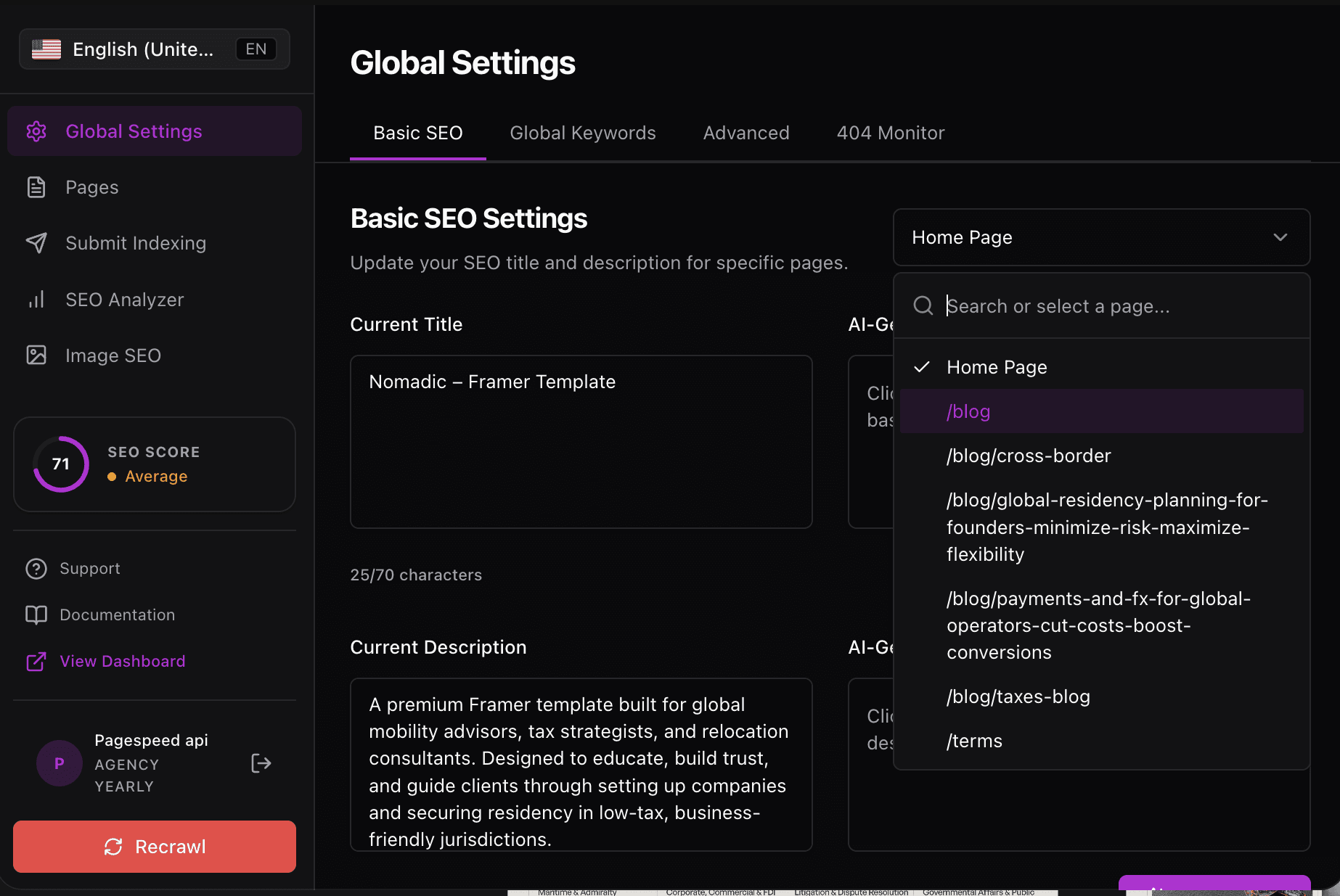
1. Current Title
The Current Title field shows the page’s current title with a live character counter. RankFrame warns you when the title goes over 70 characters because Google typically truncates around 60.
2. AI Generated Title
The AI Generated Title field holds an AI suggestion. Use the Generate button to produce one and the Copy button to put it on your clipboard. The AI uses your Personalization data so the tone matches your brand, audience, and industry.
3. Current Description
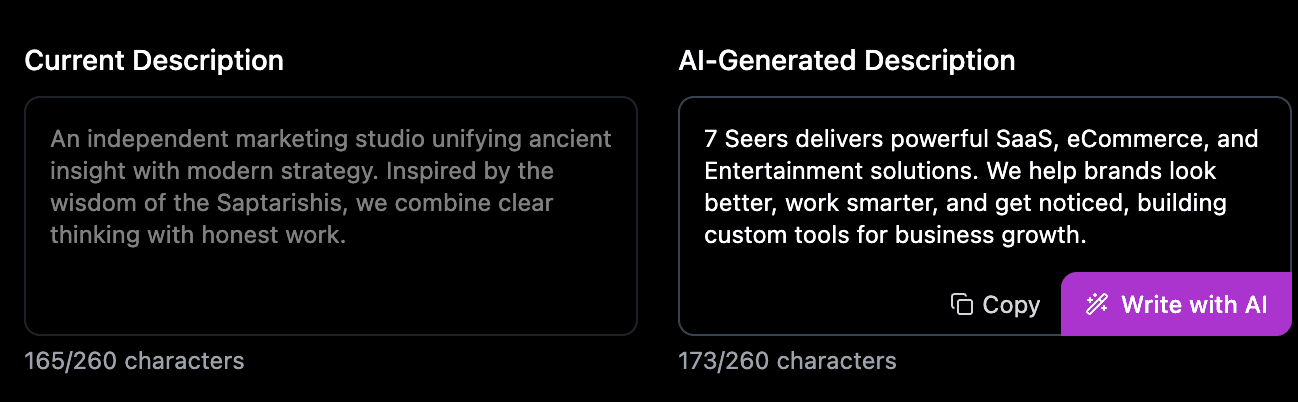
The Current Description field shows the page’s current meta description with a character counter. The recommended sweet spot is 150 to 160 characters. RankFrame warns when you go over 165, the point where Google is likely to cut you off.
4. AI Generated Description
The AI Generated Description field works just like the title version. Press Generate for a new suggestion and Copy to grab the text. The output is shaped by your brand identity in Personalization.
5. Copy button
The Copy button copies the AI-generated text to your clipboard. From there you can paste it into Framer or anywhere else you keep marketing copy.
6. Generate button
The Generate button produces a fresh AI suggestion. Generation is unlimited. If you do not love the first result, generate again until the suggestion fits.
Suggested workflow
Read the current title: Check the counter. If it is over 70, you have a clear win available.
Generate an AI title: Press Generate. Review the suggestion against your target keyword.
Copy and paste into Framer: Use the Copy button, then paste into the page settings in Framer.
Repeat for the description: Aim for 150 to 160 characters. Stay under 165 to avoid truncation.
Republish and refresh: Publish in Framer, then press Refresh in RankFrame to see the new score.
Put the most important words first. Google may truncate, but readers also scan the first few words to decide if your result is worth the click.
If your Personalization data is empty, AI suggestions will be generic. Fill out brand identity, audience, and industry before generating for the best output.
Frequently asked questions
What is the recommended title length?
Aim for under 60 characters so Google does not truncate the title in search. RankFrame warns when your current title goes over 70 characters.