
TEAMS & WORKSPACES

Work on SEO together, with a seat for everyone.

Bring your studio into one RankFrame workspace. Invite teammates, give each one the client websites they need, and share credits from one pool.

Plan
Agency. One seat included
Roles
Admin and Member
Invites
By email. The link is valid for 7 days
Members pay
Nothing. They sign up for free and join your workspace
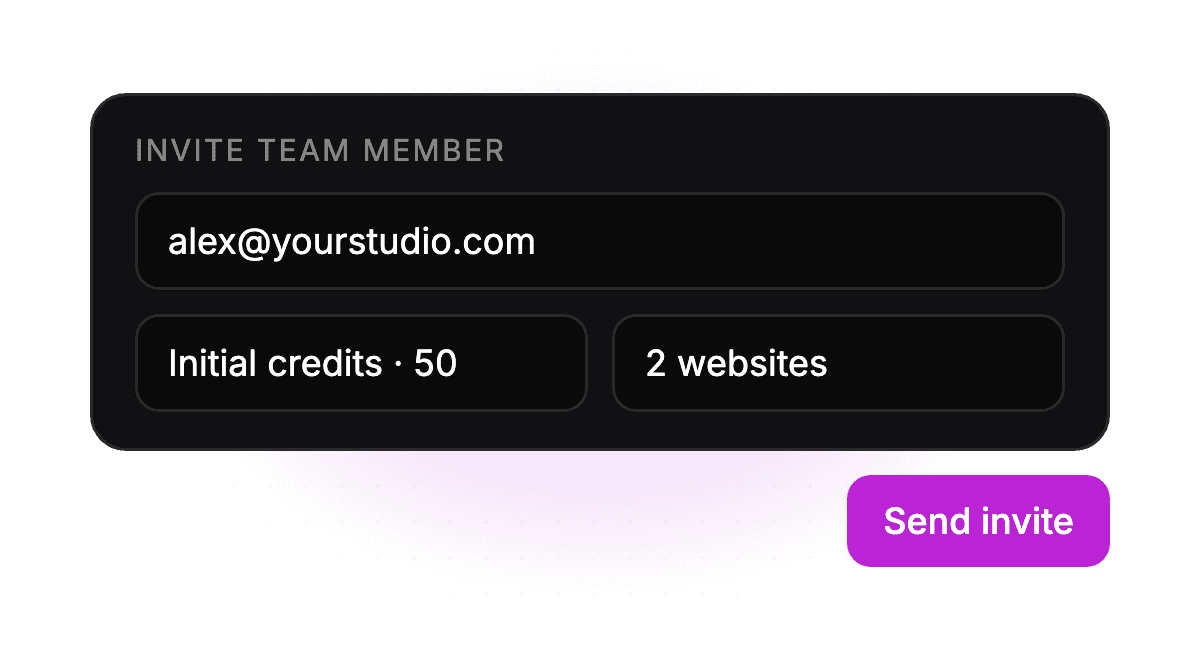
Illustration: Invite by email

Invite by email

Send an invite with starting credits and the websites they can work on.

Illustration: Admin and Member roles

Admin and Member roles

Admins manage seats, billing and access. Members work on the websites assigned to them.

Illustration: One shared credit pool

One shared credit pool

Allocate credits to each member, and retrieve what they do not use back to your pool.

Illustration: Website access per member

Website access per member

Choose exactly which client websites each teammate can open.

How It Works

Three steps to a working team

1

Add seats

Choose how many people need RankFrame when you subscribe to Agency, or add seats later from your dashboard.

2

Invite your team

Enter an email, set starting credits and pick the websites they can open. They get an invitation by email.

3

Work together

Members sign up for free, accept the invite and see only the websites you gave them, with their own credits.

Before and after
From an invite to a teammate
Drag the slider. The same Team Management screen, before and after a member accepts.
← Invite pendingMember joined →
Member joinedInvite pending
⟷
Pricing for teams
The Agency plan includes one seat. Each extra teammate is USD 72 a year, up to 10 seats. Larger team? Contact us about Enterprise.
Team size
3
USD 0 /year
Agency USD 288 + 2 extra seats × USD 72
Why teams
A seat for everyone, and control over who touches what
When a whole studio shares one login, nobody knows who changed what. With Teams, each person signs in as themselves and only sees the client sites you give them.
One shared login
Sign in
studio@yourstudio.com
••••••••••
Shared with 4 people over chat
✕Everyone works under the same account
✕Anyone can open any client site
✕No way to tell who used the credits
With Teams
Team Management
YouAll sitesAdmin
Alex2 sitesMember
Sam1 siteMember
✓Every teammate signs in as themselves
✓Choose which client websites each person can open
✓Give each member credits and take back what they do not use
Illustration. Names and sites are examples.

Frequently asked questions

Which plan includes teams?

Teams are part of the Agency plan, which includes one seat. You can add more seats when you subscribe or later from your dashboard.

How much does an extra seat cost?
Does my teammate need to pay for RankFrame?
What can a Member do?
Can I take credits back from a member?
Do teammates need access to the Framer project?

Bring your whole team into RankFrame.

Add seats to your Agency plan, invite your team and decide who works on which client website.

Bring your whole team into RankFrame.

Add seats to your Agency plan, invite your team and decide who works on which client website.

Bring your whole team into RankFrame.

Add seats to your Agency plan, invite your team and decide who works on which client website.