
<- Go Back
Billing
Buying and Managing Team Seats
Every Agency plan includes one seat for the account owner. Add more seats from the Team page whenever you invite someone new. Extra seats cost USD 72 a year or USD 10 a month, and you only pay for the rest of your current billing period.
Last Updated on
Read Time
3 min read
Seats decide how many people can work in your Agency workspace. Your plan includes one seat for you, and you can add more at any time from the Team page.
1. Seat pricing
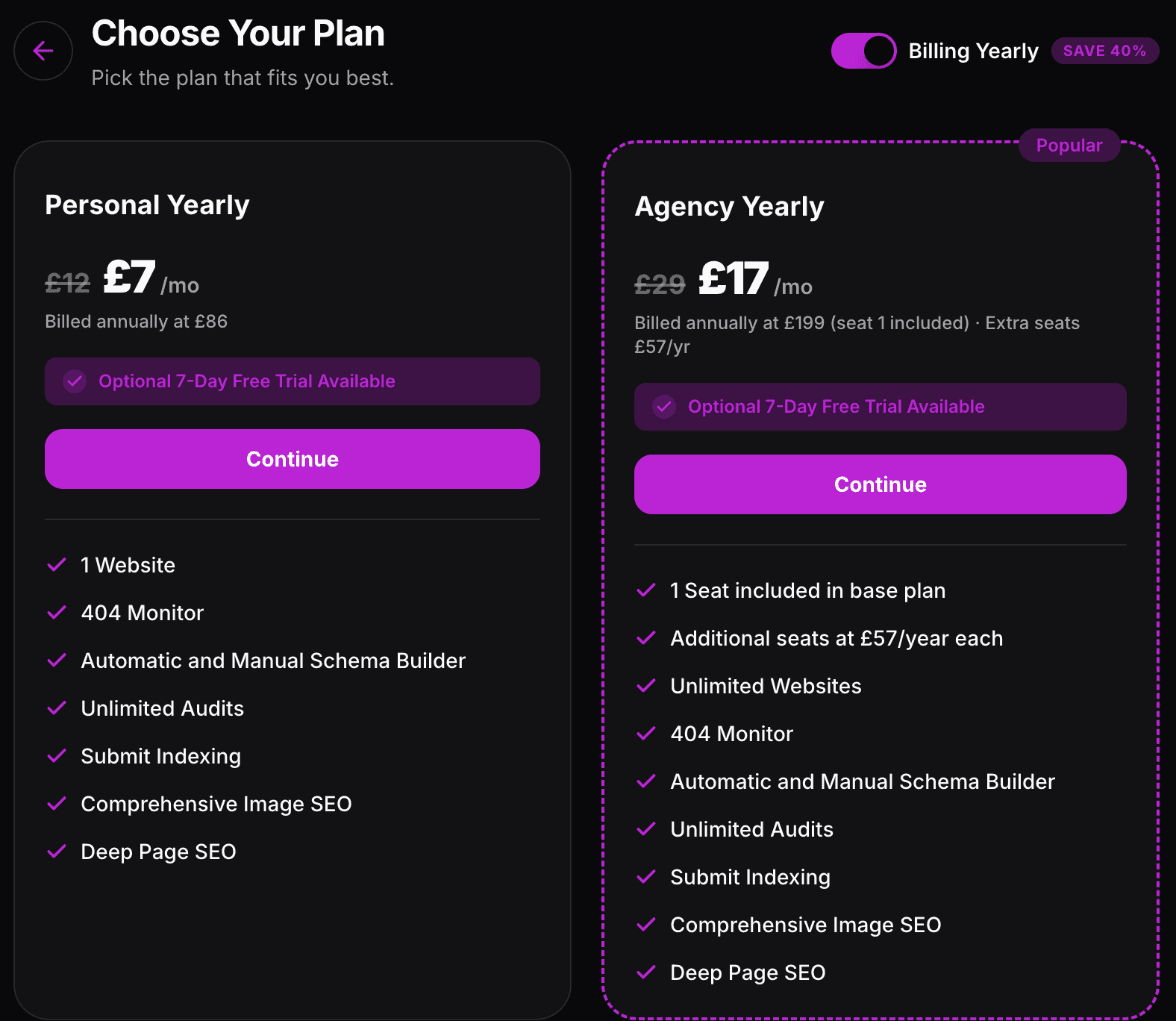
Seat 1: included in your Agency plan
Each extra seat, yearly billing: USD 72 a year
Each extra seat, monthly billing: USD 10 a month
Seats follow your plan's billing cycle, so a yearly Agency plan has yearly seats and a monthly plan has monthly seats.
2. How to add seats
Open the dashboard and go to Team.
Click Buy Seats at the top right.
Choose how many additional seats you want with the plus and minus buttons.
Check the pricing breakdown, then confirm.
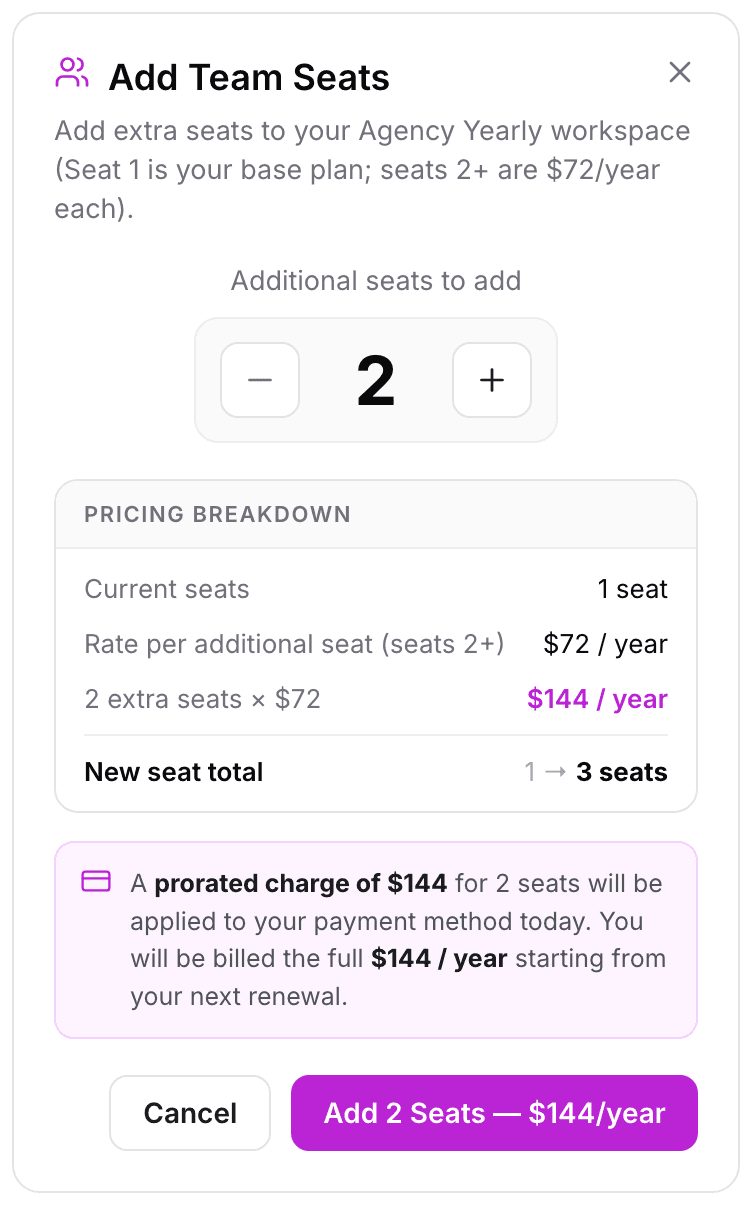
The pricing breakdown shows your current seats, the rate per additional seat, the cost of the seats you are adding and your new seat total.
3. What you pay today
When you add seats part way through a billing period, Polar works out a prorated charge for the time that is left automatically, and it is charged straight away to your saved payment method. From your next renewal you are billed the full seat price. A confirmation appears once the seats are added, for example "3 Seats Added! Your plan now includes 4 seats."
4. Seeing your seats and invoices
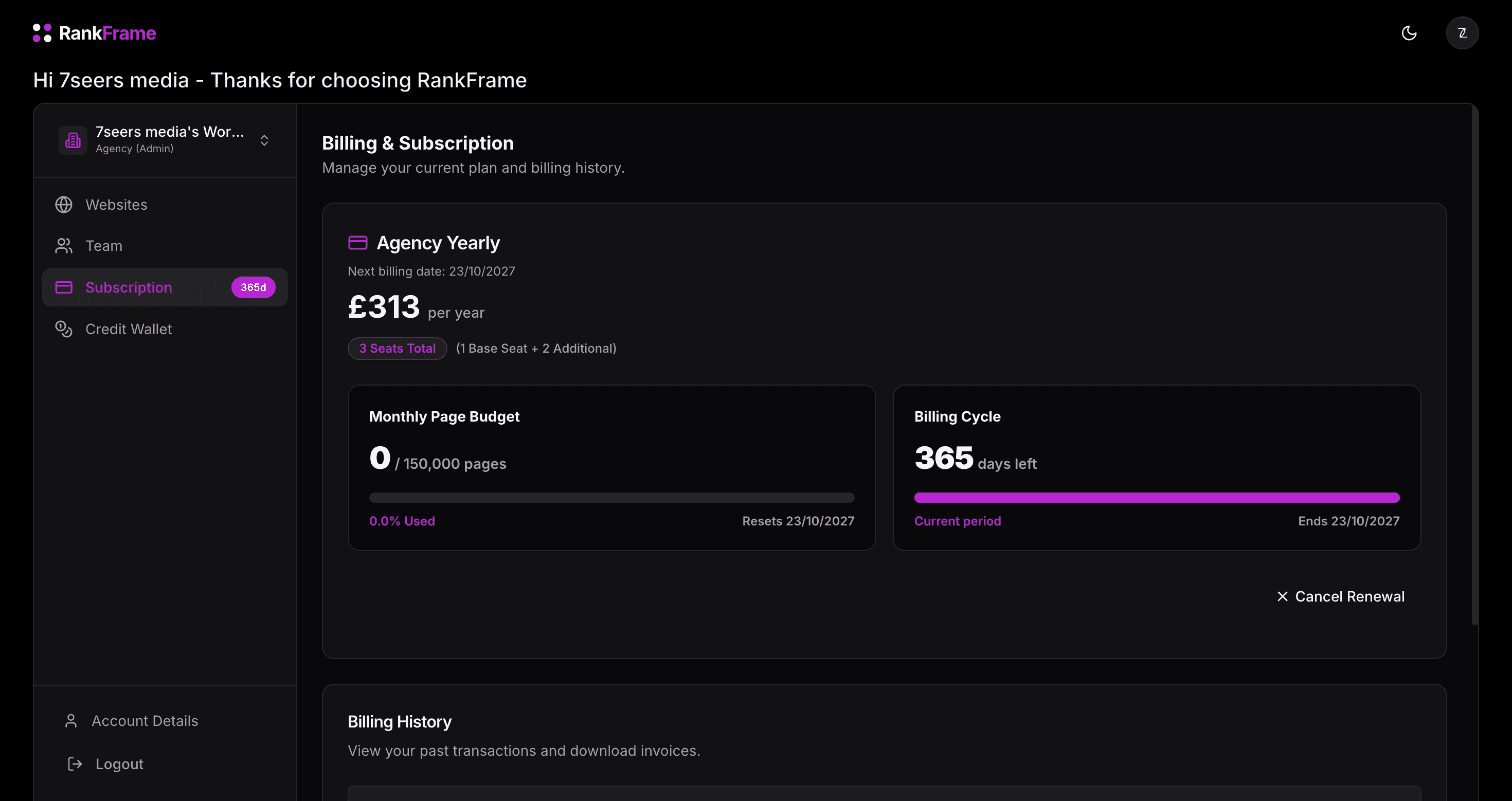
The Subscription page shows your plan price, your next billing date and your total seats, for example "4 Seats Total (1 Base Seat + 3 Additional)". Seat purchases appear in Billing History as their own invoices, which you can download as PDF. See the Billing Overview for everything else on this page.
5. Seats and invitations
Every member and every pending invitation uses a seat. The Invite Member button appears on the Team page once you have a free seat. If every seat is taken, you will only see Buy Seats. Once you have a free seat, follow Inviting Team Members.
Related features
Teams & Workspaces: A seat for every teammate, with website access and credits per person.
Frequently asked questions
How many seats does the Agency plan include?
One. The first seat is included in the Agency plan price and belongs to the account owner.