
<- Go Back
Account
Teams & Workspaces Overview
Agency plans can now bring a whole team into RankFrame. Every Agency subscription is a shared workspace: invite colleagues by email, give them credits from a shared pool, choose which websites they work on, and add seats whenever your team grows.
Last Updated on
Read Time
4 min read
Teams & Workspaces turns an Agency plan into a shared space for your whole team. Instead of one login doing all the SEO work, you invite colleagues, give them credits and websites, and everyone works on the same client sites from their own account.
1. What a workspace is
A workspace is where your websites, credits and subscription live. Every account has a personal workspace. When you subscribe to the Agency plan, that workspace becomes an Agency workspace and you become its Admin.
If you belong to more than one workspace, for example your own and a client agency's, switch between them from the workspace switcher at the top left of the RankFrame dashboard.
You can rename your workspace at any time from Account Details, under Workspace Settings.

2. What you can do as a team
Invite colleagues by email from the Team page. See Inviting Team Members.
Share credits from your workspace pool so members can generate AI alt text. See Sharing Credits and Assigning Websites.
Assign websites to each member, so everyone knows which client sites they look after.
Add seats whenever your team grows. See Buying and Managing Team Seats.
3. The Team page
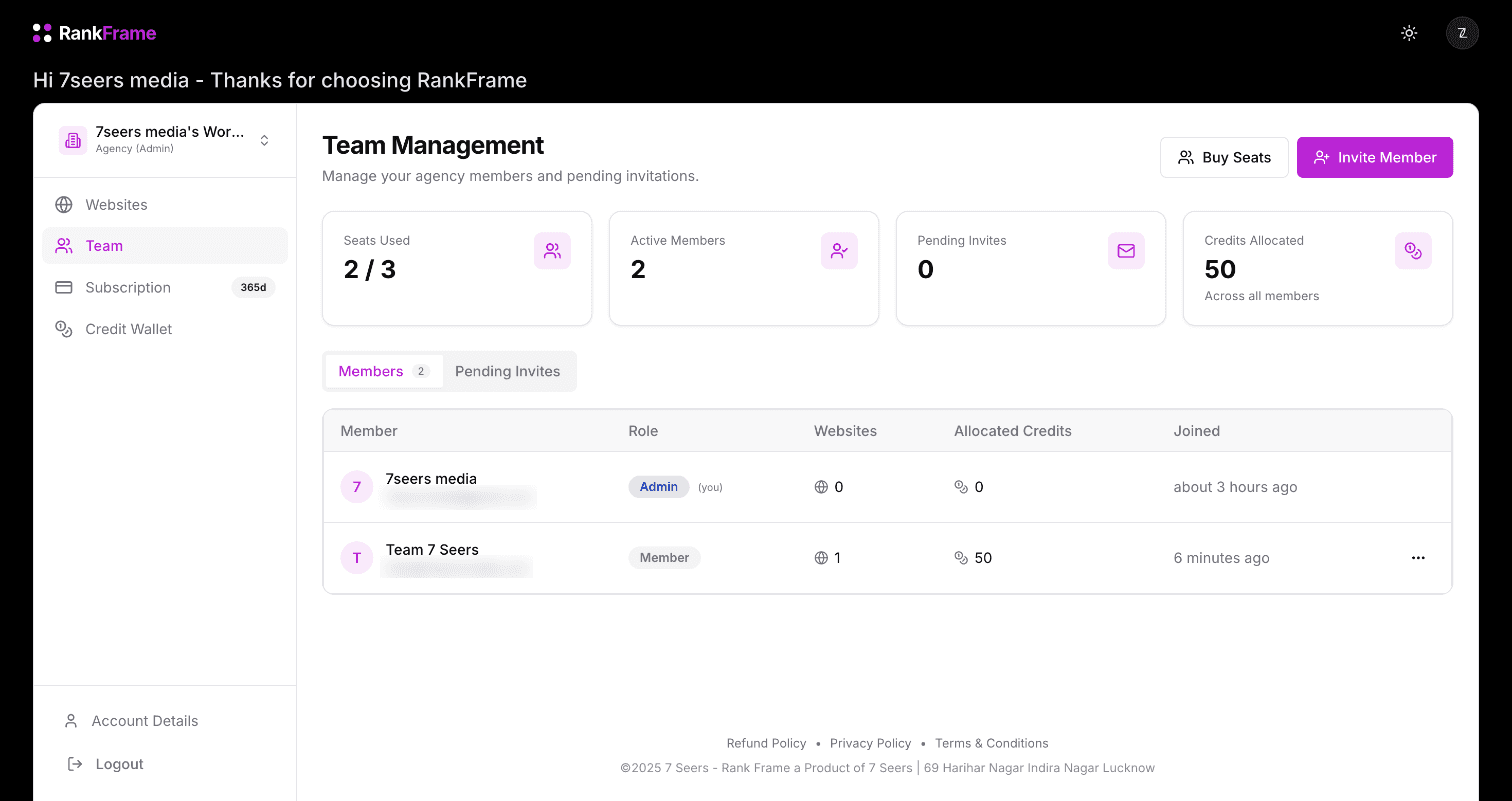
Open Team in the left sidebar of the dashboard. Four cards sit at the top:
Seats Used: how many of your seats are taken, for example 2 / 4
Active Members: everyone who has accepted an invitation
Pending Invites: invitations that have been sent but not yet accepted
Credits Allocated: credits you have shared with members, across all members
Below them, the Members tab lists every member with their role, the number of websites assigned, their allocated credits and when they joined. The Pending Invites tab shows invitations still waiting, with Resend and Revoke for each one. The … menu on a member's row lets you edit their website access, allocate or retrieve credits, or remove them from the team.
4. Seats
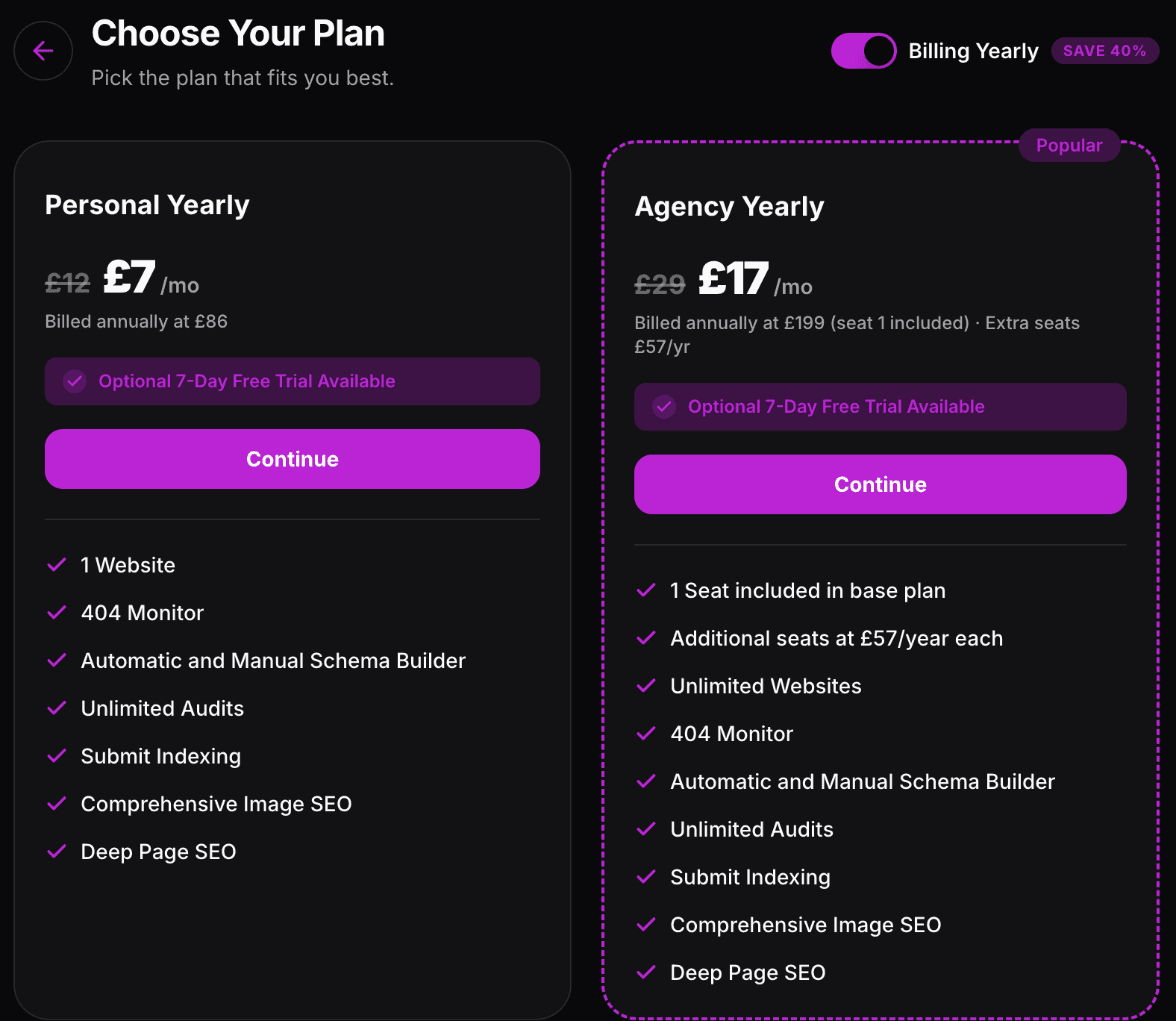
Your Agency plan includes one seat, which is yours. Each extra seat costs USD 72 a year on yearly billing, or USD 10 a month on monthly billing. When you add a seat part way through a billing period, Polar works out the prorated charge automatically, so you only pay for the time that is left. The Plans and Pricing article has the full breakdown.
5. Before you invite anyone
RankFrame works inside Framer, so a teammate also needs edit access to your Framer project to open the plugin on that site. Add them in Framer first, then invite them in RankFrame. The roles each person gets are covered in Team Roles: Admin and Member.
Related features
Teams & Workspaces: A seat for every teammate, with website access and credits per person.
Frequently asked questions
Which plans include Teams & Workspaces?
Team features are part of the Agency plan. The Agency plan includes one seat for the account owner, and you can add more seats from the Team page.