8 min read
SEO Fundamentals
What is On-Page SEO? Complete 2026 Guide with Checklist
On-page SEO is optimizing individual pages, both visible content and underlying HTML, to rank higher and earn relevant traffic. Here's every lever that still matters.

Team 7 Seers
What is On-Page SEO? Complete 2026 Guide with Checklist
On-Page SEO Definition
On-page SEO is everything you do on a single page (and within that page's HTML) to make it rank for the searches you care about. The "page" boundary is what distinguishes it from technical SEO (which operates at the site level) and off-page SEO (which operates outside your domain).
Done well, on-page SEO accomplishes three things at once: it tells search engines exactly what the page is about, it satisfies the user who clicked the search result, and it earns the engagement signals (dwell time, clicks, scrolls, conversions) that reinforce the page's relevance over time.
Because on-page SEO is fully under your control, it is also where most of the immediate, high-leverage wins live. You cannot will a backlink into existence, but you can rewrite a title tag in 30 seconds and see ranking movement within a recrawl cycle.
Why On-Page SEO Matters
On-page SEO is the most direct way to influence what queries your page can rank for. Search engines need clear signals to understand the topic, scope, and intent of a page. Title tags, headings, body content, internal links, and structured data are how you give them those signals explicitly.
Visibility: a well-optimized page can rank for dozens of related queries, not just the primary keyword.
Click-through rate: title and description copy drive whether searchers click your result over competitors.
Featured snippets and AI Overviews: structured, well-written content is what gets quoted at the top of results.
Conversion: on-page work that improves clarity and intent matching also tends to improve conversion rate, not just traffic.
On-Page SEO vs Technical SEO vs Off-Page SEO
The three pillars of SEO each tackle a different layer of the problem. Knowing the boundaries clarifies where to spend your next hour.
Dimension | On-Page SEO | Off-Page SEO | |
|---|---|---|---|
Scope | Individual page content and HTML | Site-wide infrastructure | External signals |
Examples | Title, meta, H1, content, images, internal links | Crawlability, sitemaps, HTTPS, schema, Core Web Vitals | Backlinks, brand mentions, PR |
Owner | Writer, editor, content SEO | Developer, technical SEO | PR, outreach, marketing |
Time to impact | Days to weeks | Often immediate after recrawl | Weeks to months |
Primary purpose | Make the page relevant to a query | Make the site accessible to crawlers | Make the site authoritative |
The three pillars compound. Strong on-page work amplifies the value of every backlink and every technical improvement. Weak on-page work wastes both.
1. Title Tag Optimization
The title tag is the HTML element that defines the page's title in browser tabs, search results, and social shares. It is the single most influential on-page element for rankings and click-through rate.
Best practices
Length: aim for 50 to 60 characters. Google typically truncates titles longer than about 580 pixels (roughly 60 characters).
Keyword placement: put the primary keyword toward the front. "What is On-Page SEO" carries more ranking weight than "A Complete Guide to On-Page SEO."
Branding: append your brand name with a separator at the end ("Page Title | Brand"). Skip branding only if every character is needed for keyword fit.
Uniqueness: every page must have a unique title. Duplicate titles confuse both search engines and users.
Compelling copy: titles must rank, but they also must earn the click. Numbers, brackets, year stamps ("2026"), and clear value props all lift CTR.
2. Meta Description
The meta description is the short summary shown beneath the title in search results. It is not a direct ranking factor, but it has a major indirect effect through click-through rate, which feeds engagement signals back to search engines.
Length: 140 to 160 characters. Google truncates longer descriptions in search results.
Include the primary keyword: search engines bold matching query terms in the description, drawing the eye.
Lead with the value: tell the searcher what they will get if they click.
Use active voice and a clear call to action where appropriate ("Learn", "Compare", "Download", "See examples").
Match the page: misleading descriptions cause bounces, which Google notices.
3. URL Structure
URLs are read by both humans and search engines. A clean, descriptive URL improves CTR in search results and helps search engines understand the page topic.
Short and descriptive:
/blog/on-page-seo-guidebeats/blog/2026/05/04/article-id-4729-everything-you-need-to-know.Include the primary keyword: keyword in URL is a small but real ranking signal and reinforces relevance.
Use hyphens, not underscores to separate words.
Lowercase only: mixed case URLs can create duplicate content issues on case-sensitive servers.
Avoid stop words and dates (a, the, of, in, 2026) unless they add meaning. Avoid date stamps unless you genuinely want the URL to expire.
Stable URLs: do not change URLs after they rank. If you must, set up 301 redirects.
4. H1 Tag
The H1 is the main on-page heading and the second most important on-page element after the title tag. It tells both users and search engines what the page is about above the fold.
One H1 per page. Multiple H1s dilute the signal and can confuse some crawlers, especially on JavaScript-rendered pages.
Include the target keyword naturally. The H1 and title can be similar but do not need to be identical.
Match user intent: an H1 like "What is On-Page SEO?" matches a question searcher more directly than "On-Page SEO Optimization Strategies."
Make it visible: hiding the H1 with CSS or stuffing it off-screen is a red flag.
5. H2 and H3 Subheadings
Subheadings give your page structure. They make the content scannable for users (who skim before they read) and they tell search engines how the page is organized.
Use H2 for major sections, H3 for sub-points within those sections, and only go to H4 if the depth justifies it.
Include secondary keywords and related queries in subheadings. Many ranked pages own dozens of long-tail queries through smart H2 wording.
Maintain hierarchy: do not skip levels (going H2 to H4 to H2). Predictable structure helps screen readers and crawlers.
Write descriptive subheadings: "How crawl budget works" is better than "Section 3."
6. Content Quality and Depth (E-E-A-T)
Google's quality guidelines emphasize E-E-A-T: Experience, Expertise, Authoritativeness, and Trustworthiness. These are not direct ranking factors in the technical sense, but they describe the qualities Google's algorithms try to reward.
Experience: first-hand knowledge. Did you actually use the product, visit the place, perform the task?
Expertise: subject-matter knowledge. Does the author know what they are talking about?
Authoritativeness: recognition by others. Is this the source other experts cite?
Trustworthiness: accuracy, transparency, citations, secure site, real author bylines.
Practically: write content that genuinely helps. Cover the topic comprehensively. Add original screenshots, original data, or original perspective. Cite credible sources. Show author credentials. Update content as facts change. Generic, AI-summary-style content with no original value loses to substantive content every time.
7. Search Intent Matching
Search intent is the underlying goal of a query. The same words can have wildly different intents. "Best running shoes" is a commercial comparison query. "How to lace running shoes" is informational. "Nike Pegasus 41" is a product query. Matching the format of the top-ranking results for your target query is one of the highest-leverage on-page decisions.
The four primary intent types:
Informational: the searcher wants to learn something. Best satisfied by guides, tutorials, definitions, FAQ pages.
Navigational: the searcher wants to go to a specific site or page. Brand queries.
Commercial: the searcher is evaluating options. Best satisfied by comparisons, reviews, "best of" lists.
Transactional: the searcher is ready to act. Best satisfied by product pages, sign-up pages, pricing pages.
Look at the top 10 results for your target query. If they are all guides and you publish a product page, you will not rank no matter how well-optimized your page is. Match format first, then optimize within that format.
8. Keyword Usage and Density
Modern search engines understand topics, synonyms, and entities, not just exact-match keyword counts. There is no magic keyword density number. That said, your primary keyword should appear in predictable, natural places:
Title tag (near the front)
H1
URL
First 100 words of the body
Naturally distributed through the body, including at least one H2
Image alt text on a relevant image
Then write naturally. Use synonyms, related terms, and the language your audience actually uses. Tools like Ahrefs and Semrush can surface secondary keywords and "people also ask" queries to weave in. Avoid keyword stuffing, exact-match repetition, and any pattern that reads as written for a robot rather than a reader.
9. Internal Linking
Internal links pass authority between your own pages and tell search engines which content is most important. They also keep users moving through your site, increasing engagement signals.
Link from high-authority pages to pages that need a boost: your homepage and most-linked posts have authority that you can route deliberately.
Use descriptive anchor text: "on-page SEO checklist" outperforms "click here." Avoid exact-match anchor stuffing, but be specific.
Link to related deep content: 3 to 8 contextual internal links per long-form post is a healthy range.
Do not link to thin or duplicate pages: every link is a vote, and you do not want to vote for low-value content.
10. External Linking to Authoritative Sources
Linking out is sometimes treated as bad SEO ("don't leak link juice"), but the evidence supports the opposite. Citing high-authority external sources signals to search engines that your content is well-researched, and it builds trust with readers.
Link out to original sources, not aggregators.
Use 1 to 3 external links per long-form post; do not turn the article into a link dump.
Open external links in a new tab where it improves UX (use
rel="noopener"for security).Use
rel="nofollow"orrel="sponsored"for paid or untrusted links.
11. Image Optimization (Alt Text, File Names, Compression)
Images contribute to on-page SEO in two ways: they affect page speed (a technical signal) and they create opportunities to rank in Google Image Search. They also improve dwell time and accessibility.
Descriptive file names:
on-page-seo-checklist.pngbeatsIMG_4729.png. Use hyphens, lowercase, no spaces.Alt text: write a concise description of the image for screen readers and crawlers. Include the target keyword only when it accurately describes the image.
Compression: use modern formats (WebP, AVIF) and compress to the smallest size that still looks good. A typical hero image should be under 200KB.
Explicit dimensions: set width and height attributes (or CSS) so the browser reserves space, preventing Cumulative Layout Shift.
Lazy loading: use
loading="lazy"on images below the fold to defer loading until needed.Captions where useful: caption text is read with high attention by users and provides additional context for search engines.
12. Schema Markup
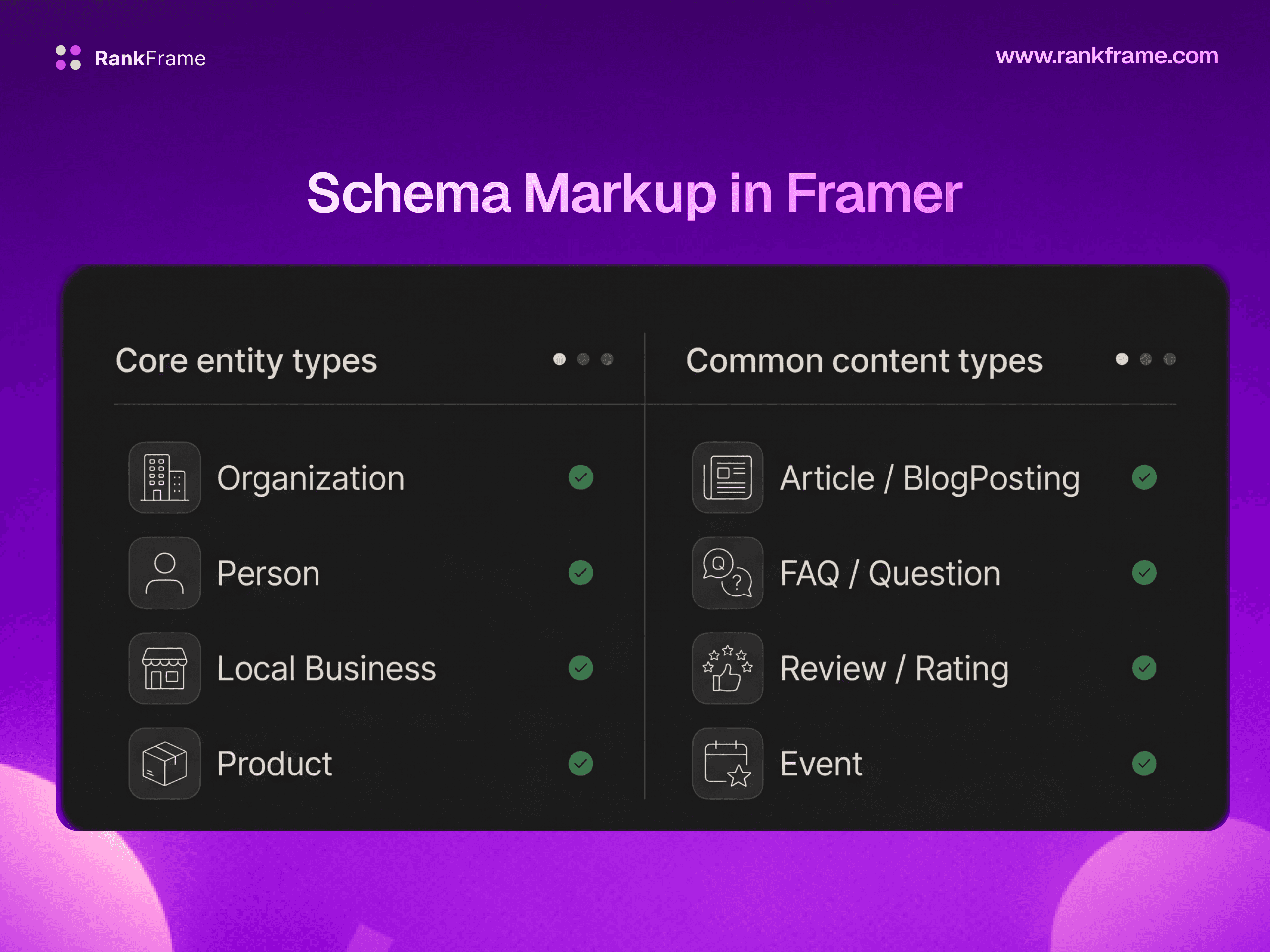
Schema markup (structured data using schema.org JSON-LD) explicitly tells search engines what type of content the page contains and what its key facts are. While schema sits at the intersection of on-page and technical SEO, it is implemented per page and is firmly part of modern on-page work.
Schema types most relevant per page type:
Blog post / guide: Article or BlogPosting, with FAQPage if you have a Q&A section.
Product page: Product with Offer, AggregateRating, and Review.
Tutorial: HowTo (with steps).
Local business landing page: LocalBusiness.
Event page: Event with date, location, and offers.
Validate every schema implementation with Google's Rich Results Test. Invalid schema is silently ignored.
13. Featured Snippet Optimization
Featured snippets are the boxed answers Google shows at position zero, above the regular results. They typically pull from a page that ranks in the top 5 and that formats its answer in a way Google can extract directly.
To target featured snippets:
Identify the question: research "people also ask" entries and question-form keywords in your space.
Answer concisely first, expand later: place a 40 to 60 word direct answer immediately under a question-form H2 or H3, then expand below for depth.
Use the right format: Google pulls paragraph snippets, list snippets, and table snippets. Match the format the existing snippet uses for that query.
Use the question in a heading exactly as searchers type it.
14. Topic Clusters and Pillar Pages
The topic cluster model organizes content into pillar pages (broad, comprehensive guides on a core topic) and cluster pages (deep dives on subtopics). Cluster pages link up to the pillar; the pillar links down to the clusters. This structure builds topical authority and concentrates internal linking signals.
Example pillar and cluster:
Pillar: "The Complete Guide to SEO"
Clusters: "What is on-page SEO," "What is technical SEO," "What is off-page SEO," "How keyword research works," "How to get backlinks," "How to track SEO performance"
Each cluster ranks for its own focused query while reinforcing the pillar's authority on the broader topic. This is one of the most effective modern content strategies for organic growth.
15. Content Freshness
Freshness matters more for some queries than others. "Best laptops 2026" is a freshness-sensitive query: a 2023 article will not rank. "What is the boiling point of water" is not. Identify which of your pages serve freshness-sensitive queries and put them on a refresh cadence.
An effective refresh:
Updates statistics and dates with current numbers and citations.
Adds new sections to address questions users now ask.
Updates screenshots if interfaces have changed.
Improves internal links as new related content is published.
Updates the title and meta if the angle has shifted.
Updates the
dateModifiedin your Article schema honestly.
On-Page SEO Checklist
Use this checklist for every new page you publish or every page you refresh.
Pre-publish on-page SEO checklist
Primary keyword identified with verified search volume and intent.
Search intent matches the format of top-ranking results.
Title tag under 60 characters, includes keyword near the front, includes brand.
Meta description 140 to 160 characters, includes keyword, has a clear value statement.
URL is short, lowercase, hyphenated, and includes the primary keyword.
One H1 that includes the primary keyword and matches user intent.
H2 and H3 subheadings cover related queries and structure the content logically.
Primary keyword appears naturally in the first 100 words.
Content is original, comprehensive, and demonstrates first-hand experience or expertise.
3 to 8 contextual internal links to related pages with descriptive anchor text.
1 to 3 external links to authoritative sources.
Every image has a descriptive file name, compressed file size, alt text, and explicit dimensions.
Schema markup added for the appropriate page type and validated with the Rich Results Test.
At least one section is formatted to target a featured snippet (concise answer under a question H2 or H3).
Page is part of a topic cluster with clear up-links to a pillar and down-links to clusters where relevant.
Open Graph and Twitter Card tags configured for social sharing.
Canonical tag points to the correct URL.
Page is mobile-friendly and meets Core Web Vitals thresholds.
If You Have a Framer Site
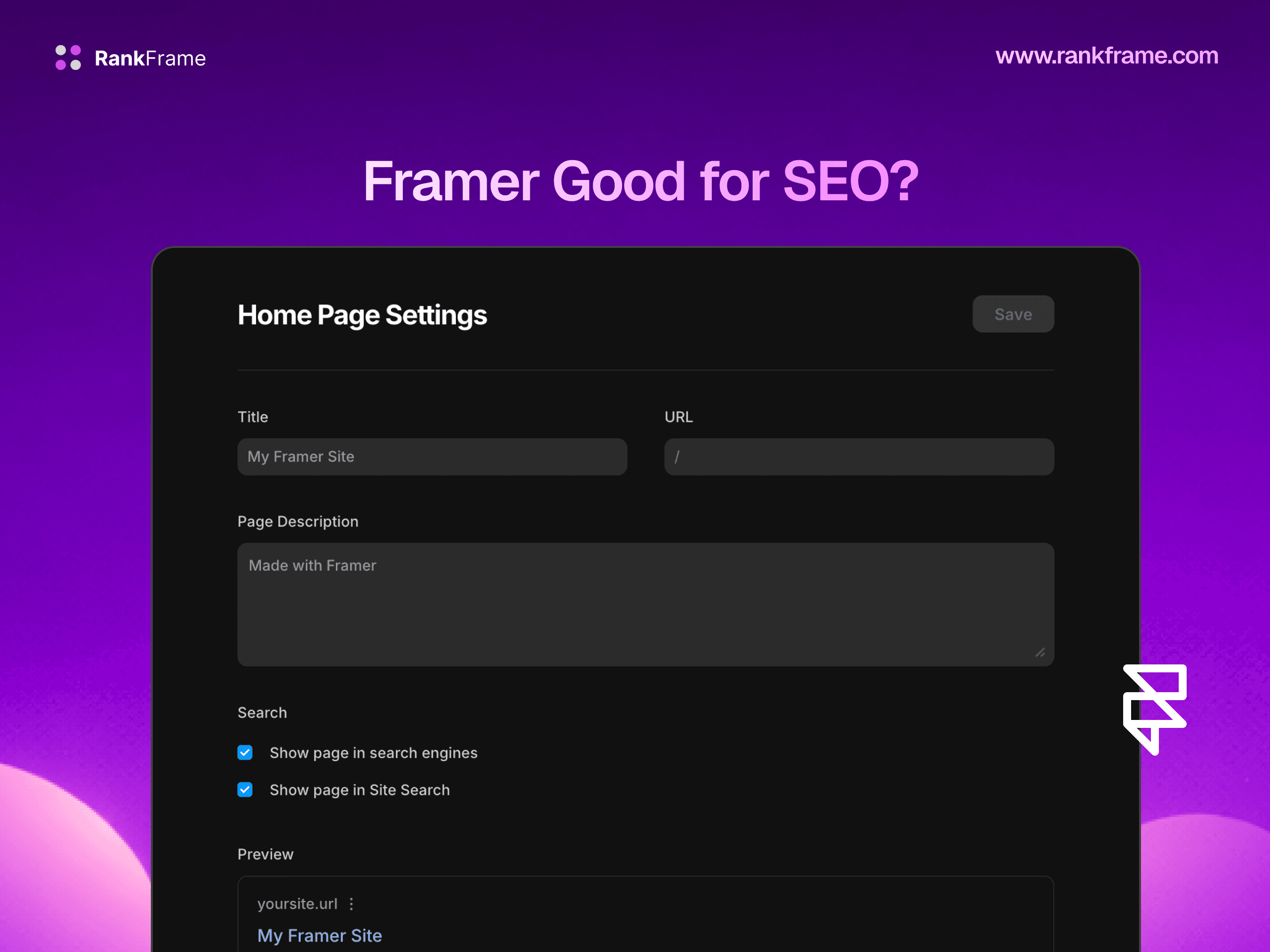
Framer gives you solid on-page SEO controls out of the box. Every page in your Framer project has a Page Settings panel with fields for the title tag, meta description, canonical URL, and a custom Open Graph image. CMS collections support binding those same fields to dynamic CMS variables, so each blog post or case study can have its own per-item title, description, and social image without manual configuration.
What Framer's native SEO controls do not handle, and where you still need additional tooling:
Schema markup: Article, FAQ, Product, HowTo, Review, and BreadcrumbList schemas all need to be added per page or template.
AI-assisted meta generation: writing 30 unique title and description pairs across a site is slow; an AI generator that respects your brand voice and target keywords is a force multiplier.
Image SEO at scale: bulk alt text auditing, file name auditing, and compression checks across every image used on the site.
Internal link auditing: identifying orphan pages, overlinked pages, and missed opportunities to link new content into existing clusters.
Keyword tracking: monitoring how each Framer page ranks for its target queries over time, mapped to the page itself rather than scattered across a separate tool.
On-page audits: per-page scoring against the checklist above, surfaced inside the editor as you work.
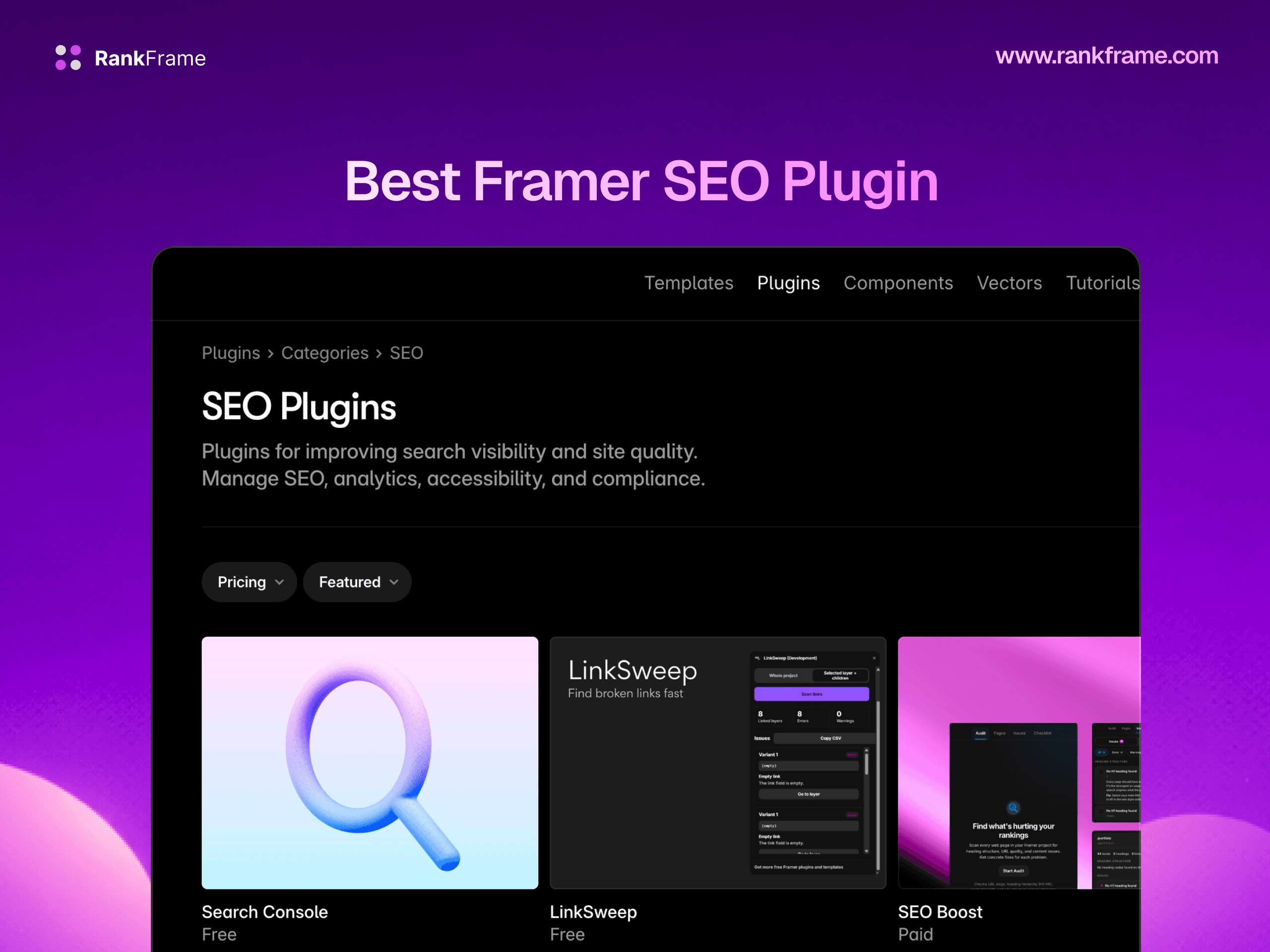
RankFrame runs natively inside the Framer editor and adds exactly this layer on top of Framer's built-in SEO. It generates schema, suggests AI-written meta titles and descriptions, audits image SEO, tracks keywords, and runs site-wide on-page audits, all without leaving the Framer canvas. You keep Framer's design-first workflow and gain the on-page depth that competitive rankings require.
Frequently asked questions
What is the difference between on page and off page SEO?
On-page SEO covers everything you control on the page itself: title tags, meta descriptions, headings, content quality, internal links, image optimization, and schema. Off-page SEO covers signals that come from outside your website, primarily backlinks from other domains, brand mentions, and digital PR. On-page SEO makes a page relevant. Off-page SEO makes a page authoritative. You need both to rank competitively.