
<- Go Back
Global SEO Settings
Multi-Language SEO in Framer: How RankFrame Handles Locales
How RankFrame detects your Framer locales and applies SEO work per language.
Last Updated on
Read Time
6 min read
What multi-language SEO means in RankFrame
If your Framer site is published in more than one language, each locale is a separate set of URLs that Google indexes separately. RankFrame treats them that way too. Rather than auditing your site once and applying the result everywhere, it works per locale, so a page can pass in English and fail in French, and you will see it.
How locales are detected
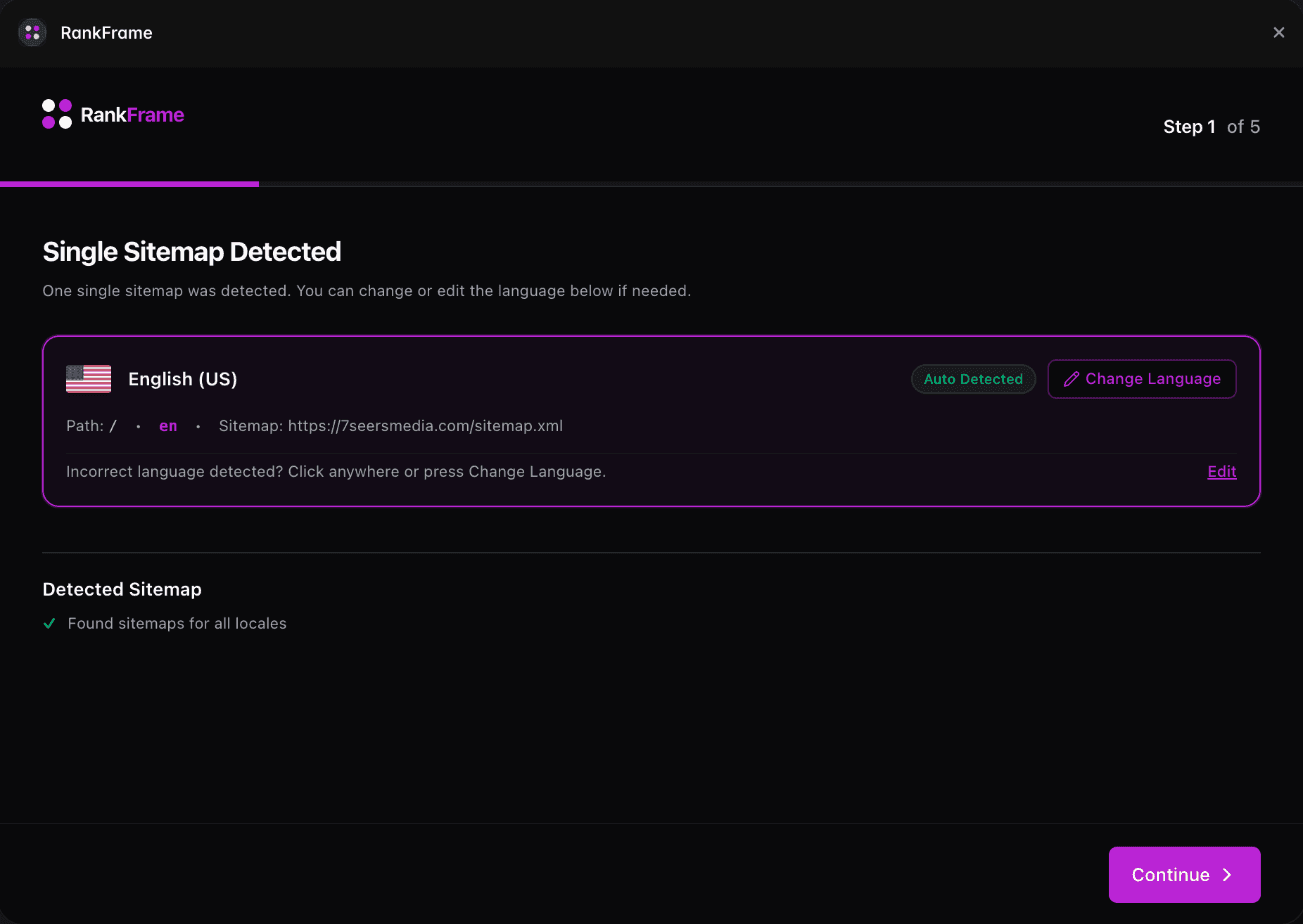
RankFrame reads your published sitemap during the connect step. If your Framer project has locales configured, each one is picked up automatically and listed with its language and region.
If your site uses a single sitemap with no language configuration, RankFrame tells you so and continues with English (United States) as the default. You can add a code yourself if a language is not detected. See Custom Language Codes.
What runs per locale
Image alt text. Alt text is written in English, then translated into each locale you have. See Translated Alt Text.
404 monitoring. The 404 view switches with the locale, and errors are listed per language.
404 exceptions. Routes can be excluded globally or for one language only. See Per-Language 404 Exceptions.
Page audits. Switch the locale in the sidebar and run the analyser again to score that language.
What does not run per locale yet
Schema is per page, not per locale. Structured data you generate applies to the page rather than to each language version of it. Multi-language schema is not available. Everything else listed above is locale-aware today.
Switching locale
The locale selector sits at the top of the RankFrame sidebar. Changing it changes what the rest of the plugin shows: the audit you run, the 404 list you see, and the alt text you copy. It does not change your Framer site, only what RankFrame is working on.
A practical order of work
Connect the site and confirm every locale was detected.
Add a custom language code for anything missing.
Run the audit once per locale and fix what each one reports.
Generate alt text once, then copy the translated version into each locale.
Set 404 exceptions, globally for paths like /admin, per language for anything that only exists in one.
Related features
Multi-language: Every locale detected from your sitemap and handled on its own.
404 Monitor: Log every broken link real visitors hit, per language.
Frequently asked questions
Does RankFrame support multi-language Framer sites?
Yes. RankFrame reads your locales from your published sitemap and applies most of its SEO work per language, including alt text translation, 404 monitoring and exceptions, and page audits.
Related to