
<- Go Back
404 Monitor
Per-Language 404 Exceptions and the Locale 404 View
Monitor 404s per language, and exclude routes globally or for a single locale.
Last Updated on
Read Time
5 min read
Two things that are per language
The 404 monitor is locale-aware in two ways. The list of errors you are looking at follows the locale you have selected, and the routes you exclude can be set for one language or for all of them.
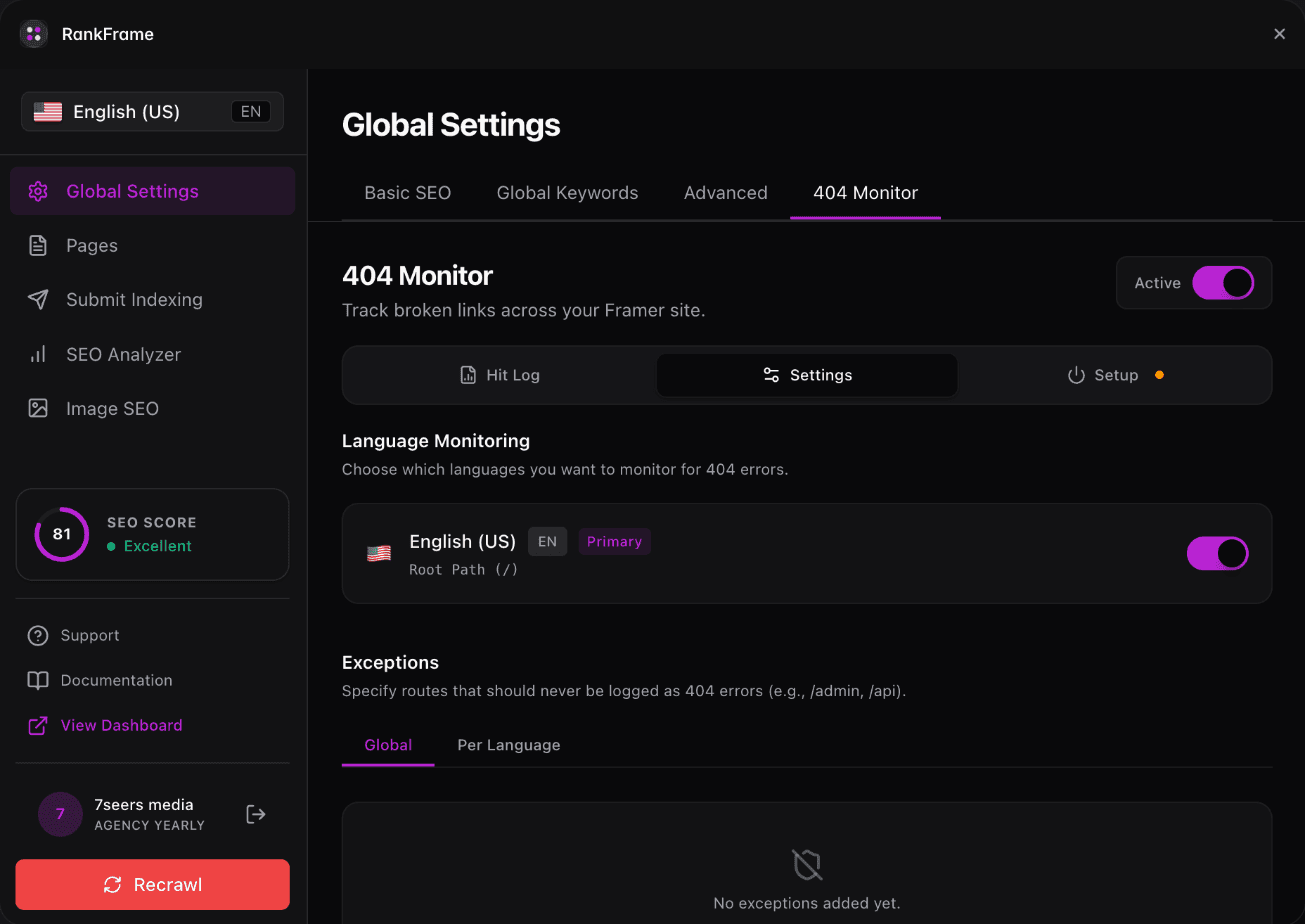
Choosing which languages to monitor
Under 404 Monitor then Settings, Language Monitoring lists each locale with its own toggle. Turn off a language and RankFrame stops logging 404s for it. This is useful when one locale is still being built and would otherwise fill the log with noise.
Global and per-language exceptions
Exceptions are routes that should never be recorded as errors. The panel has two tabs:
Global. The route is ignored in every language. Use this for paths that are not content in any locale, such as /admin or /api.
Per Language. The route is ignored in one locale only. Use this when a path exists in one language but genuinely does not in another.
Reach for Global first. A route that is noise in one language is usually noise in all of them, and a global rule is easier to reason about later.
Switching the view
Change the locale in the sidebar and the hit log follows it. If a page is missing in French but fine in English, you will only see it while French is selected, which is the point.
After you change anything
The 404 tracking script lives in your project's Custom Code. If you enable monitoring or change the script, publish your Framer site for the change to take effect. Exceptions apply immediately and do not need a republish.
Related features
Multi-language: Every locale detected from your sitemap and handled on its own.
404 Monitor: Log every broken link real visitors hit, per language.
Frequently asked questions
Does the 404 monitor work per language?
Yes. The hit log follows the locale selected in the sidebar, and you can choose which languages are monitored at all.