
<- Go Back
404 Monitor
Managing Exception Routes
Learn how to use Exception Routes in the RankFrame 404 Monitor to exclude intentional 404 paths from your error log, keeping your data clean and actionable.
Last Updated on
Read Time
4 min read
What Exception Routes are
Exception Routes is a whitelist inside the 404 Monitor. Any path you add here is permanently ignored by the monitoring script. Hits to that path will not be recorded, and if rows for that path already exist in the errors table they will no longer appear.
You find the Exception Routes section at the bottom of the 404 Monitor tab inside Global Settings. The label reads: “Routes added here will be ignored by the 404 monitor.”
Exception Routes is one of the most overlooked settings in RankFrame. Without it, intentional paths like your custom
/404page pollute the error log and make it hard to identify the broken links that actually need attention.
Why this feature matters
Some paths on your Framer site are designed to return a 404 status. That is correct and expected behavior. For example, your custom /404 error page exists precisely to handle unknown routes, so every single visitor who hits any broken link passes through it and logs a hit. Without an exception, /404 will appear at the very top of your errors table with an enormous hit count, hiding the routes that actually matter.
The same applies to any path used in redirect testing, app logic, or Framer’s internal preview system. Without Exception Routes, these entries create noise that makes it harder to find genuine broken links.
Where to find it
Open the RankFrame plugin inside Framer.
Click Global Settings in the main navigation.
Select the 404 Monitor tab.
Scroll to the bottom of the tab to reach the Exception Routes section.
1. Exception route input field
The text input field accepts a single URL path at a time. Enter the path exactly as it appears in the Page URI column of your errors table, starting with a forward slash. The placeholder text shows the expected format: /path-to-ignore.
For example, to exclude your custom 404 error page, type /404. To exclude a conflict page, type /409. The input accepts any valid URL path.
Always include the leading slash. Entering
404without the slash will not match the path/404as it appears in the errors table.
2. + Add button
After typing a path into the input field, click the + Add button to save it as an exception. The route is immediately added to your exception list and the monitoring script stops tracking hits to that path from that point forward.
You can add as many exception routes as you need. Each one appears as a labeled tag below the input so you can see which paths are currently excluded at a glance. To remove an exception route, click the remove button on its tag.
/404/409/preview-draft
You can copy a path directly from the Page URI column in the errors table using the copy icon, then paste it into the exception route input to avoid typos.
3. How ignored routes appear in the errors table
Once a path is added to Exception Routes, it disappears from the errors table. The monitoring script stops logging hits to that path, so no new rows are created for it. Any rows that were already present for that path are no longer shown in the table once the exception is saved.
If you remove an exception route later, the script resumes tracking hits to that path and new hits will appear as rows in the table again. Previously excluded hits are not retroactively added.
Common use cases
The following paths are strong candidates for Exception Routes on most Framer sites:
/404: Your custom 404 page returns a 404 status by design. Every visitor who hits any broken link on your site passes through this page, so it will always show an extremely high hit count. Add it as an exception to keep the noise out of your log.
/409: A conflict page that intentionally returns a 409 or 404 status as part of your site logic.
Redirect testing paths: If you use specific paths during development to test redirect chains, add them while testing and remove them when done.
Framer preview routes or draft pages: Paths used by Framer’s internal preview system or staging flows that are never intended to be live public pages.
App logic routes: Any path that your application or backend intentionally returns a 404 for as part of its normal operation, such as API probe routes or health check paths.
404 monitoring per language
Switch locale in the plugin and the 404 view switches with it, so you see the errors recorded for that language version only. Exception routes can be managed per locale as well as globally, and changes apply immediately without republishing.
Per-language exceptions
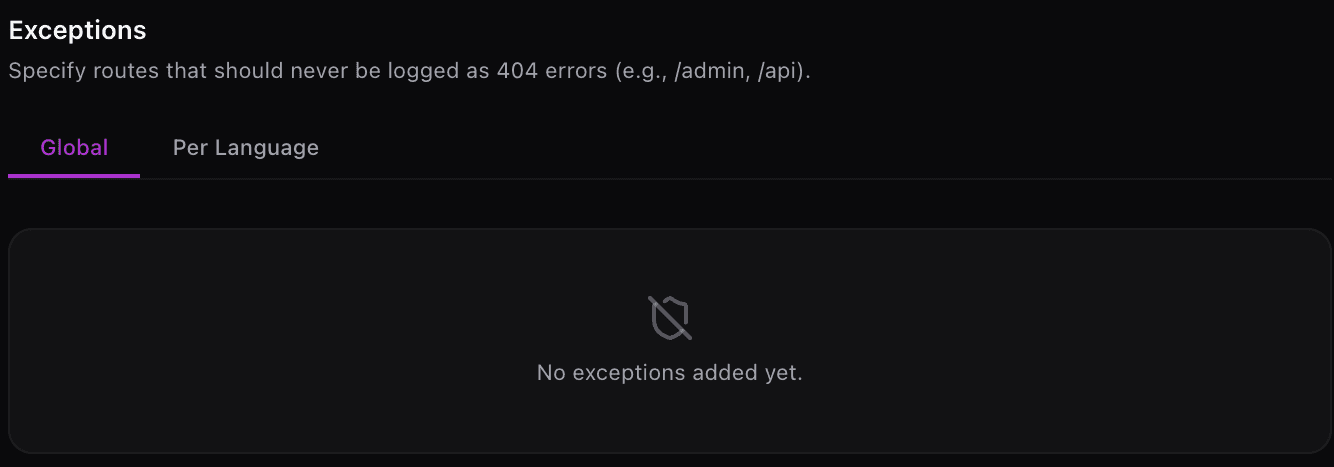
Exceptions can apply to every language or to one only, using the Global and Per Language tabs. See Per-Language 404 Exceptions.
Frequently asked questions
Does adding an exception route delete the existing error data for that path?
No. Adding a path to Exception Routes stops new hits from being recorded and hides existing rows in the table, but it does not permanently delete the underlying data. If you remove the exception later, the script starts tracking that path again and the historical data may reappear.