
<- Go Back
Keyword Tracker
Keyword Tracker Overview: Track Rankings in RankFrame
Learn how the RankFrame Keyword Tracker monitors your Framer site's search rankings. Understand the keyword table, position history sparklines, and how data is pulled from Google Search Console.
Last Updated on
Read Time
3 min read
How the Keyword Tracker Works
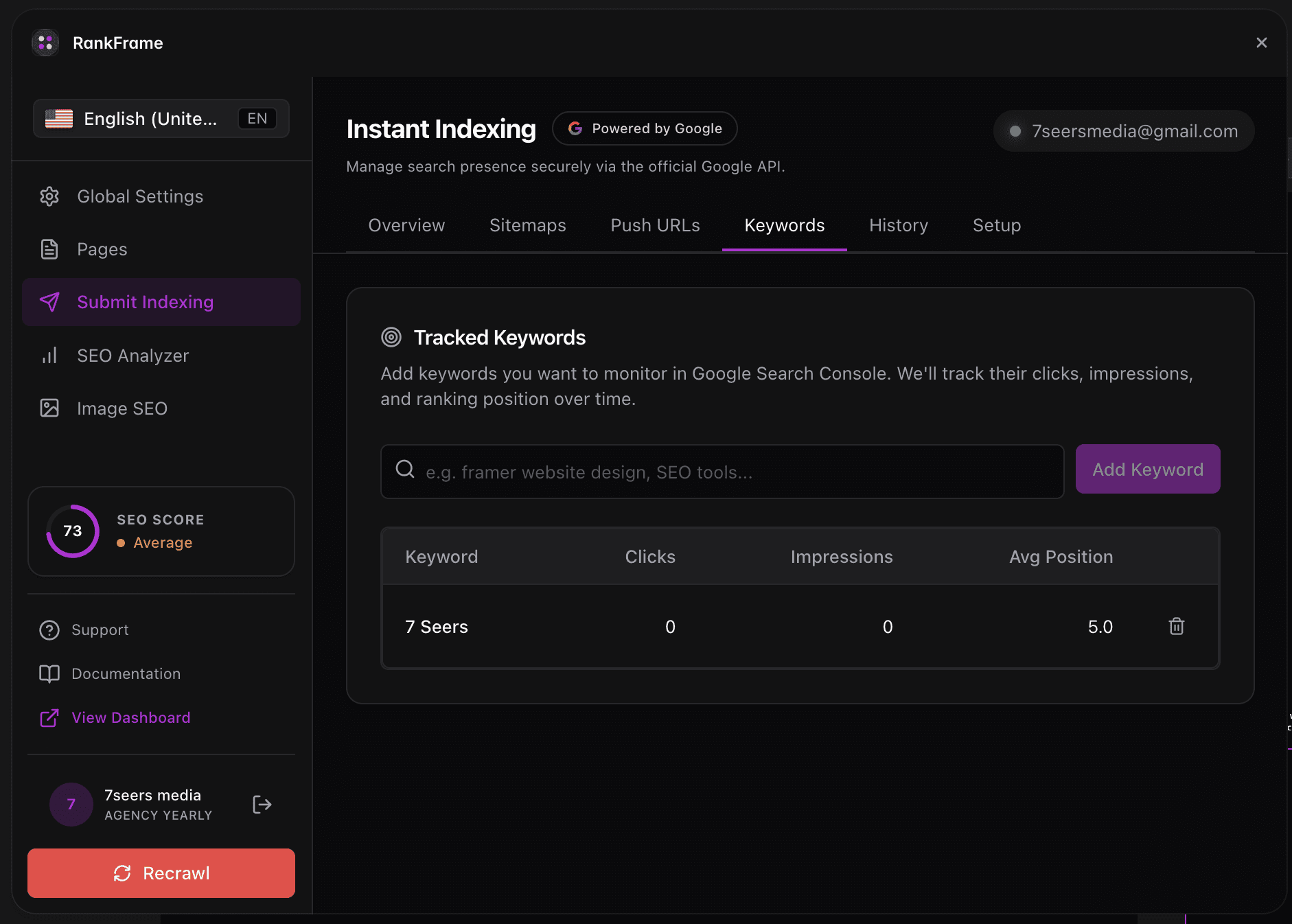
1. Where to Find the Keyword Tracker
Open Submit Indexing by clicking the lightning bolt icon in the left sidebar of RankFrame. Then click the Keyword Tracker tab at the top of the panel. It is the fourth tab across: Submit URLs | Setup | Analytics | Keyword Tracker | Indexing History. The tracker monitors live Google ranking positions for every Framer page you care about.
2. What the Keyword Tracker Does
The Keyword Tracker stores a list of keywords you define and shows their current Google Search Console metrics in a structured table. The three core columns are: Impressions (how many times your pages appeared in Google results for that query), Clicks (how many times a searcher clicked through to your site), and Search Position (your average ranking position for the keyword, a lower number is better).
3. Position History Sparkline
The rightmost column of the keyword table shows a small sparkline chart for each keyword. The sparkline visualizes position movement over time so you can see at a glance whether a keyword is trending up, down, or holding steady. When a position improves, a green up arrow and a numeric delta appear next to the current position number. This lets you confirm ranking movement is real and directional, without leaving the RankFrame panel or opening an external tool.
4. Where the Data Comes From
The Keyword Tracker pulls data from Google Search Console via the same OAuth connection you established in the Submit Indexing Setup tab. If the connection is active and your property is verified, data refreshes automatically as Search Console updates. New data typically appears within 48 to 72 hours. You do not need a separate Search Console login, a separate API key, or a third-party rank-tracking subscription.
5. Keyword Manager Search
Above the keyword table, the Keyword Manager includes a search field. Type any string to filter your tracked keywords in real time. Only rows matching your query remain visible, making it fast to find and review a specific term once your list grows to dozens of entries.
Note: The Keyword Tracker shows data Google has already reported for your site. Position history reflects past averages, not real-time ranking snapshots. Expect 48 to 72 hours for new keyword data to appear after adding a keyword to the tracker.
Frequently asked questions
Do I need to set up anything to use the Keyword Tracker?
You need the Google account connected in the Submit Indexing Setup tab and your domain verified in Google Search Console. If Submit Indexing is already working for you, the Keyword Tracker uses the same connection with no extra setup required.