
<- Go Back
Submit & Indexing
Submit URLs for Indexing
The Submit URLs tab gives you two ways to notify Google about your Framer site's pages: push your sitemap directly to Google Search Console, or select individual URLs and submit them through the Google Indexing API.
Last Updated on
Read Time
5 min read
Overview of the Submit URLs tab
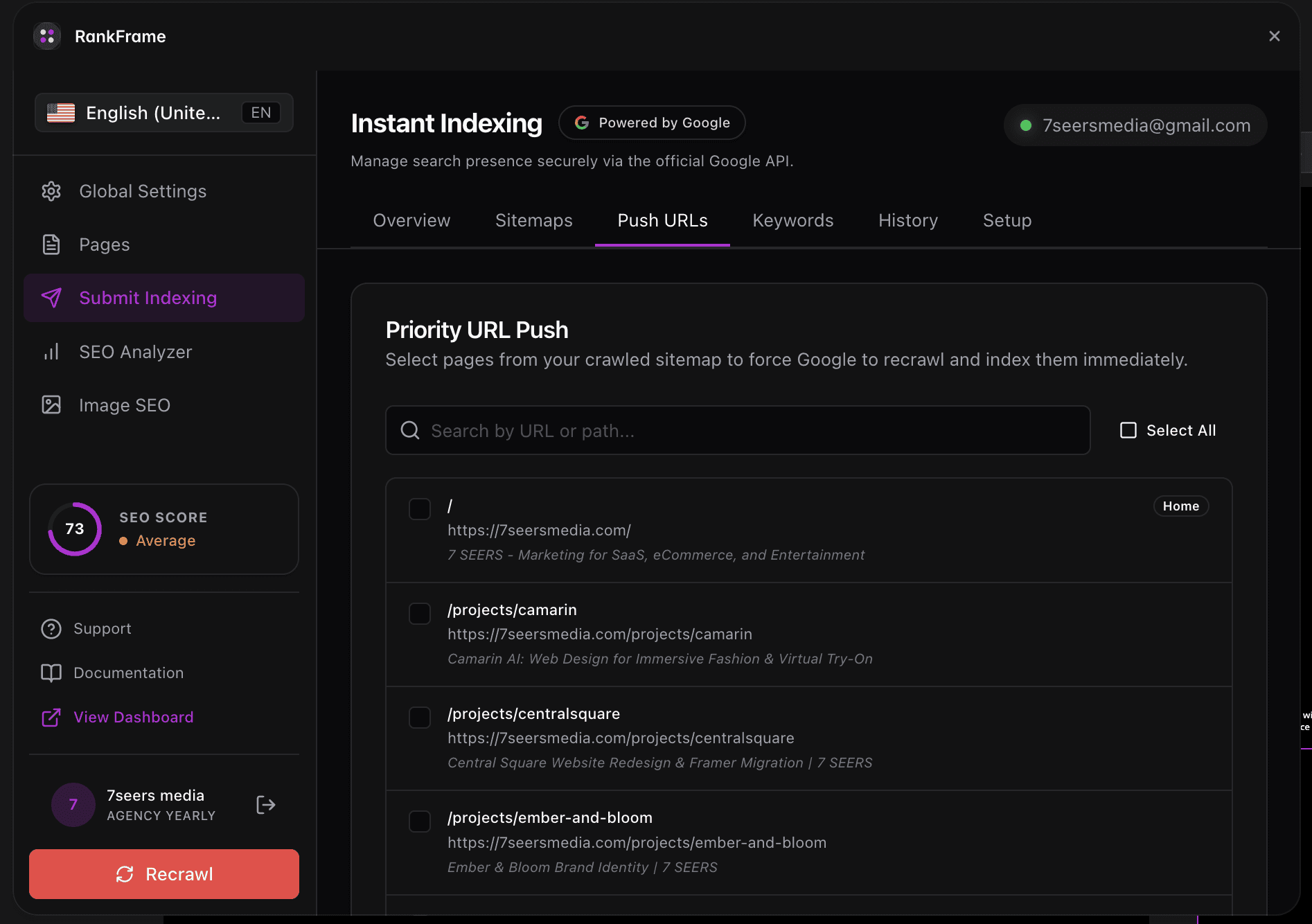
The Submit URLs tab is the primary workspace inside RankFrame's Submit Indexing section. It surfaces two distinct submission methods in a single view: sitemap syncing and manual URL selection. You can use one or both, depending on what you need to accomplish.
Both methods talk to Google directly. Sync Sitemap goes to Google Search Console. Manual URL Submission goes to the Google Indexing API. Each method has a specific purpose, and understanding the difference helps you choose the right one for every situation.
Before you start
Manual URL Submission requires an active Google account connection. Before using that method, complete the Setup tab to authorize RankFrame to communicate with the Google Indexing API on your behalf.
If you have not completed Setup, the Push N URLs button will not be able to reach the Google Indexing API. Sync Sitemap does not require the same API authorization, but it does require that your sitemap is published and accessible at your site's sitemap URL.
The two submission methods
The Submit URLs tab contains two numbered sections. Work through them in order when setting up a new site, or use either one independently whenever you need it.
1. Sync Sitemap

Directly submit your sitemap to Google Search Console. This tells Google where to find the complete list of pages on your Framer site. A single button handles the entire operation: Push Sitemap.
Click Push Sitemap and RankFrame sends your sitemap to Google Search Console immediately. You do not need to copy a URL or log into Search Console manually.
Push Sitemap is safe to click multiple times. If you have pushed before, clicking it again updates the existing sitemap record rather than creating a duplicate. Re-push any time you add new pages or restructure your site.
Good times to click Push Sitemap:
Right after publishing your Framer site for the first time.
After adding a new page or collection.
After a major site restructure, such as changing URL slugs.
Any time you want to ensure Google Search Console has the latest version of your sitemap on file.
2. Manual URL Submission
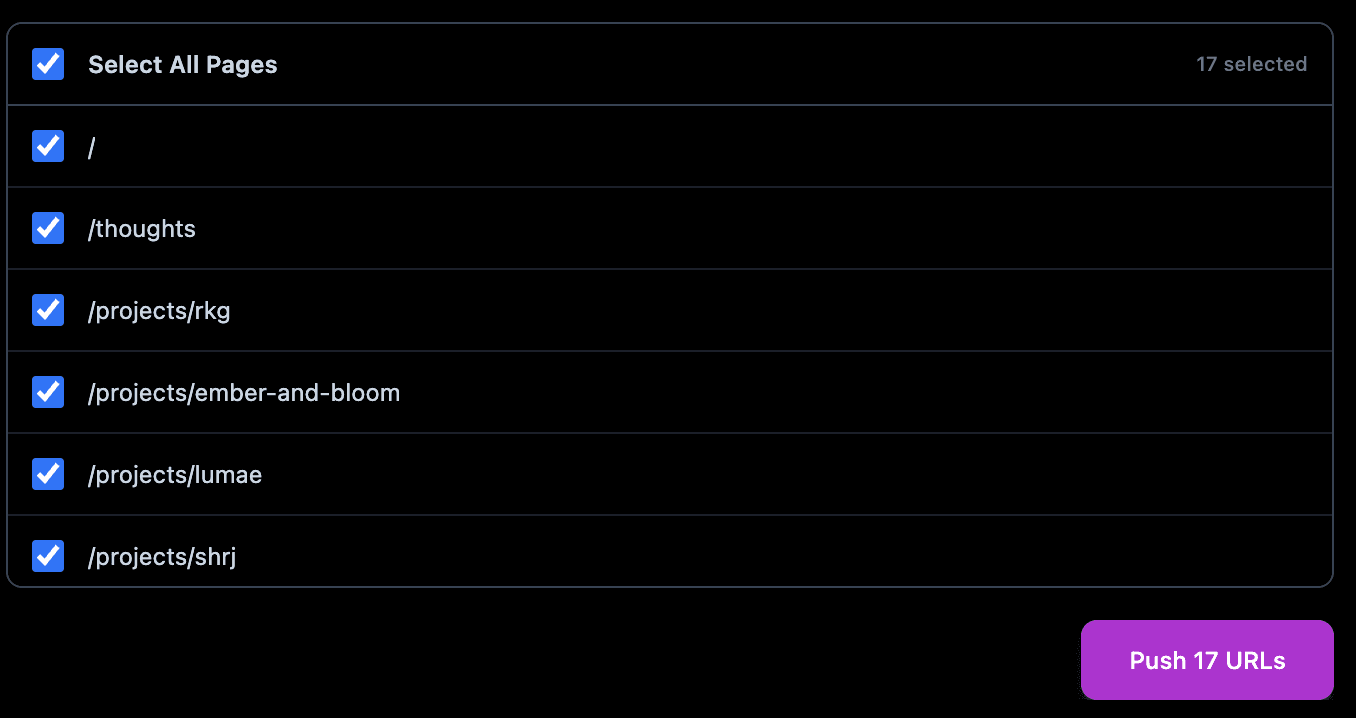
Select the pages you want to push to the Google Indexing API. This directly notifies Google that these pages have been added or updated. Use the Select All Pages checkbox to target every URL at once, or pick individual pages from the list. The Push N URLs button reflects your current selection and submits all chosen URLs in one action.
Selecting pages
The page list shows every URL on your Framer site. Each row has a checkbox and the URL path. Check any combination of pages you want to submit.
Select All Pages: The master checkbox at the top of the list. Checking it selects every page at once.
Individual checkboxes: Check or uncheck any specific page. The count adjusts in real time.
Submitting the selection
Once you have chosen your pages, click the Push N URLs button in the bottom-right corner. The N reflects the current selection count and updates dynamically. When you click, RankFrame sends an indexing notification to Google for each selected URL.
You can re-submit a URL as many times as needed. If you update a page and want Google to pick up the changes faster, check that page and click Push N URLs again. Google treats repeat submissions as update notifications.
When to use each method
Both methods are complementary. Here is a quick guide to choosing the right one for each situation.
New site launch: use both: Click Push Sitemap to register your full site with Google Search Console, then select all pages and click Push N URLs to send immediate indexing signals for every page.
New page added: use Manual URL Submission: Check the new page and click Push N URLs to notify Google right away. Optionally re-push your sitemap as well.
Content updated on existing pages: use Manual URL Submission: Select the updated pages and click Push N URLs. This tells Google the content has changed, prompting a faster re-crawl.
Sitemap structure changed: use Sync Sitemap: If you renamed pages, changed URL slugs, or reorganized your site navigation, click Push Sitemap to ensure Google Search Console reflects the updated structure.
Routine maintenance: use Sync Sitemap: Push Sitemap is idempotent and safe to run at any time. Adding it to your post-publish workflow keeps your sitemap fresh with zero extra effort.
Frequently asked questions
What happens if I click Push Sitemap more than once?
Push Sitemap is idempotent. Clicking it a second time updates the existing sitemap record in Google Search Console rather than creating a duplicate. Google is not confused by repeated pushes.