
<- Go Back
Page Speed
Core Web Vitals Explained: FCP, LCP, CLS for Framer Sites
Understand the three Core Web Vitals metrics in RankFrame: First Contentful Paint, Largest Contentful Paint, and Cumulative Layout Shift. Learn target thresholds and how to fix each one in Framer.
Last Updated on
Read Time
4 min read
1. First Contentful Paint (FCP)
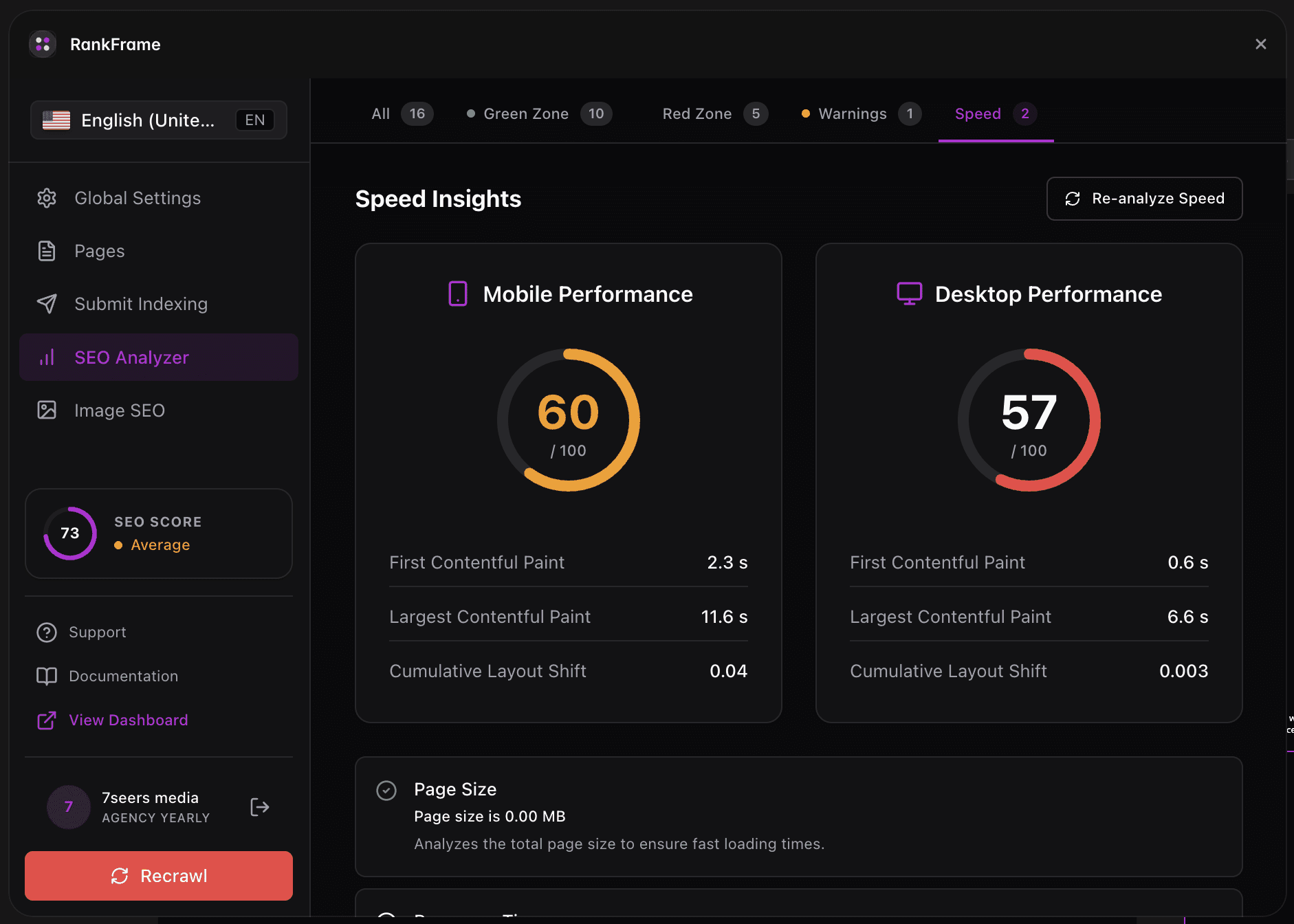
The time between the user clicking your link and the first piece of content appearing on screen (any text, image, or non-blank canvas). Targets: under 1.8s = Good, 1.8 to 3.0s = Needs Improvement, over 3.0s = Poor. Common Framer causes of slow FCP: heavy custom code components blocking the initial render, render-blocking fonts loaded synchronously, large CSS files. Fix by deferring non-critical scripts and using Framer’s built-in font loading.
2. Largest Contentful Paint (LCP)
The time it takes for the largest visible element on the page (usually the hero image or H1 text) to fully render. This is the most important Core Web Vital. Targets: under 2.5s = Good, 2.5 to 4.0s = Needs Improvement, over 4.0s = Poor. The single biggest LCP fix on Framer is image optimization: serve hero images as WebP, set explicit width/height, and ensure they are not larger than the rendered display size.
3. Cumulative Layout Shift (CLS)
A score (not a time) that measures how much the page layout shifts unexpectedly while loading. Score 0 means no shift. Targets: under 0.1 = Good, 0.1 to 0.25 = Needs Improvement, over 0.25 = Poor. Common Framer causes: images without explicit dimensions, web fonts swapping after page load, content that pushes other content down (banners, embeds). Fix by setting image dimensions in Framer and reserving vertical space for embeds.
Target Thresholds
Metric | Good | Needs Improvement | Poor |
|---|---|---|---|
FCP | Under 1.8s | 1.8 to 3.0s | Over 3.0s |
LCP | Under 2.5s | 2.5 to 4.0s | Over 4.0s |
CLS | Under 0.1 | 0.1 to 0.25 | Over 0.25 |
How to Fix Each Metric in Framer
FCP Fixes
Defer non-critical custom code components so they load after first paint.
Use Framer’s built-in font loading instead of synchronous external font scripts.
Remove unused CSS by trimming overrides and unused style variants.
LCP Fixes
Convert hero images to WebP and compress to under 200KB.
Set explicit width and height on the hero so the browser reserves space.
Avoid serving an image larger than its rendered display size.
CLS Fixes
Add width and height to every image in Framer’s properties panel.
Reserve vertical space for embeds (videos, forms, third-party widgets).
Avoid late-injected banners or cookie bars that push content down.
Auditing each language version
Audits run per locale. Switch language in the plugin sidebar and run the audit again to score that language version of the page. Each locale keeps its own score, checks and speed data.
Frequently asked questions
Why isn't INP (Interaction to Next Paint) shown?
RankFrame currently surfaces FCP, LCP, and CLS, the three Web Vitals available from Lighthouse synthetic audits. INP requires real-user data (field data) which RankFrame does not yet pull.
Related to