8 min read
How-To Guide
Per-Page SEO in Framer: What Changed and How It Works Now
RankFrame's per-page SEO has been rebuilt. The split view is gone, every page now runs the same analyser as the site-wide audit, and meta fields moved to Global Settings. Here is the new workflow.

Team 7 Seers

Per-Page SEO in Framer: What Changed and How It Works Now
If you have used RankFrame for a while, the per-page view will look different. This is a deliberate rebuild, and it changes where you do three common jobs: checking a single page’s SEO, reading its failing checks, and editing its title and description.
What the old per-page view did
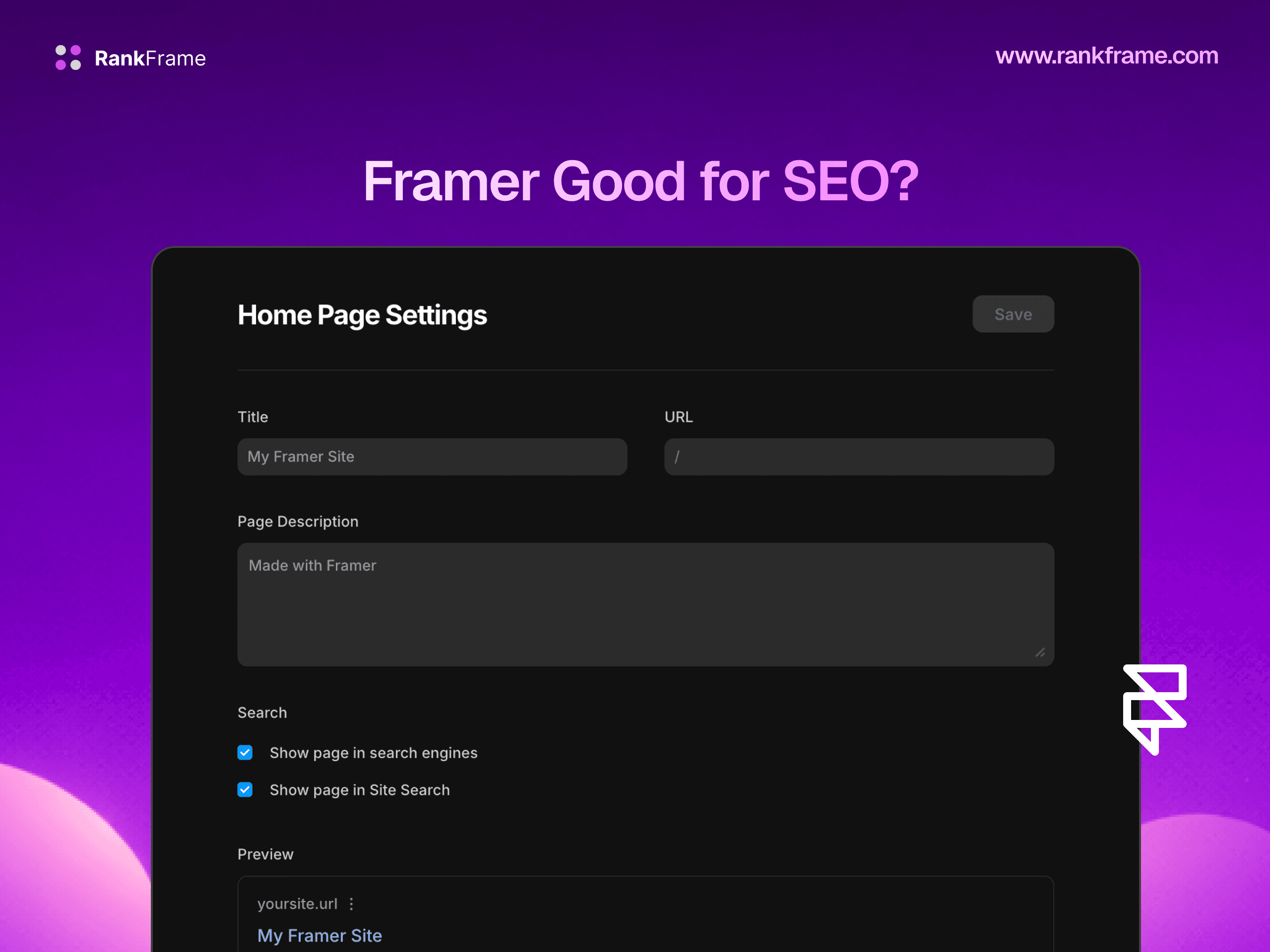
Earlier builds opened a split view. The left panel showed a live preview of your Framer page. The right panel held a separate SEO surface: its own score header, title and description fields, and five collapsible audit sections covering keywords, basic SEO, advanced SEO, performance and security.
It worked, but it had a structural problem. Those per-page checks were a second implementation, separate from the site-wide SEO Analyzer. Over time the two drifted. A page could look fine in one and fail in the other, and there was no good answer for which to trust.
What per-page SEO does now
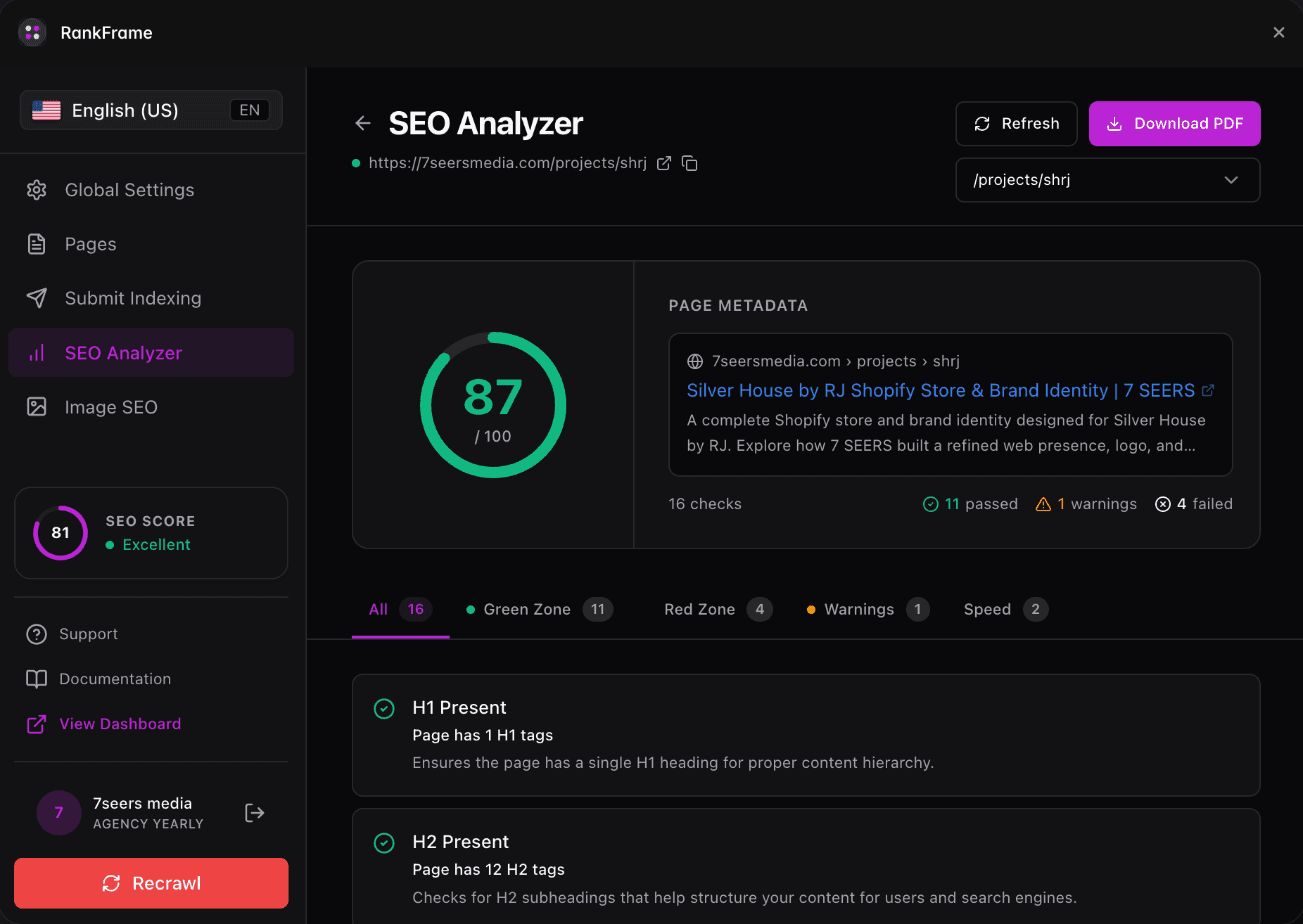
Every page is connected to its own SEO analyser. Open a page and it runs the same engine as the site-wide audit, scoped to that page: a score out of 100, sixteen checks grouped into Green Zone, Red Zone, Warnings and Speed, page metadata, and Core Web Vitals for mobile and desktop.
One engine, one set of results. A page that passes in the per-page audit passes in the site-wide Analyzer, because they are the same checks.
Where each job lives
Finding pages that need work
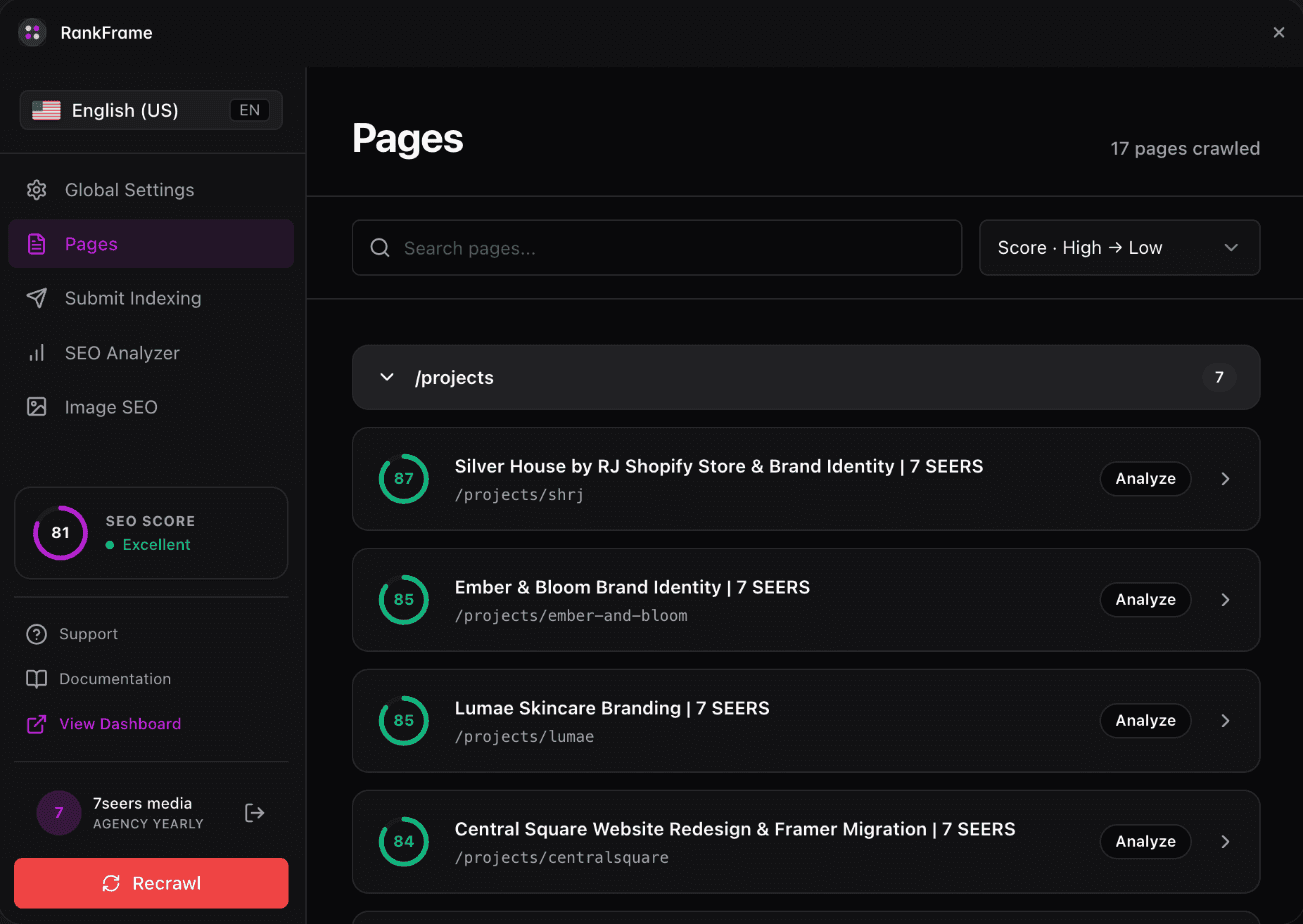
Open Pages. Your site is grouped by folder with a page count on each. Expand a folder and every page shows its own score with an Analyze button. Sort by score, low to high, and you have a work queue.
Auditing a single page
Click Analyze. You get that page’s score, its failing checks with plain-English explanations, and its speed data. The dropdown at the top right switches pages without going back to the list, which matters when you are working through a queue.
Editing titles and descriptions
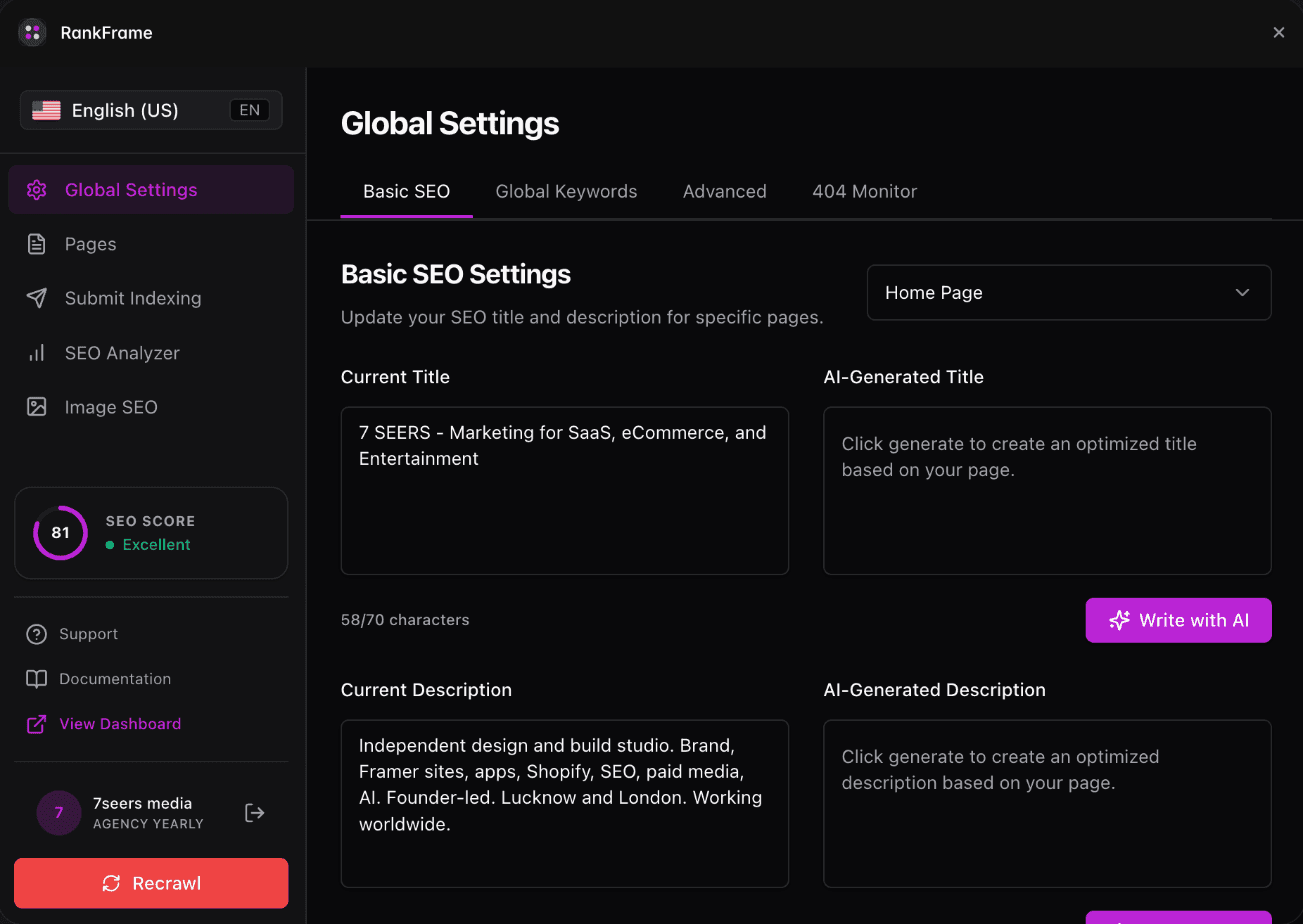
This is the change most people notice first. Meta fields are no longer inside the per-page view. They live in Global Settings: open Basic SEO Settings and pick the page from the dropdown at the top right. You will see the current title and description beside AI-generated alternatives with live character counters. Generate, review, copy, paste into Framer.
The new per-page workflow
Open Pages and sort by score, low to high.
Click Analyze on the worst-scoring page.
Work the Red Zone first, then Warnings.
Switch to Global Settings and update that page’s title and description from the dropdown.
Publish your Framer project.
Re-run the analyser on that page to confirm the score moved.
On multi-language sites
Audits run per locale. Switch language in the plugin sidebar and run the analyser again to score that language version of the page. Each locale keeps its own score, checks and speed data, so a strong English page does not hide a weak German one.
Why this is better
One engine. Per-page and site-wide checks agree, because they are the same checks.
Less drift. There is no second audit implementation to fall behind the main one.
Metadata in one place. Every page's title and description is written in Global Settings instead of being split across two screens.
Faster iteration. Fix one page, re-run that page, without waiting for a full site crawl.
If you had a bookmark or a habit built around the split view, the equivalent is now Pages, then Analyze. Everything the right panel did is in the analyser, and everything the title and description fields did is in Global Settings behind the page dropdown.
Related features
SEO Analyser: Score every page out of 100 with 16 checks and a PDF report.
Frequently asked questions
Where did the per-page split view go?
It has been replaced. Earlier builds showed a live Framer preview on the left and a separate SEO surface on the right. Every page now opens its own SEO analyser instead, running the same checks as the site-wide audit.